About this app
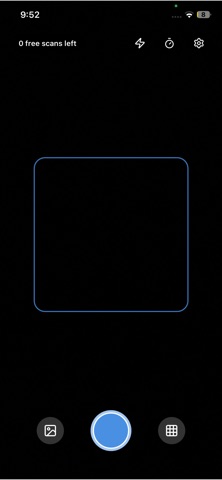
Ever wished your phone could give you more information about the things around you? Scale For Grams uses AI and your camera to provide approximate insights, estimates, and identifications — all from a single photo. Whether you’re estimating the weight of an object, getting a rough size, identifying an item, counting small objects, or extracting colors for creative work, the app makes everyday tasks quicker and easier. Your smart companion for estimating, identifying, and exploring the world around you. Key Features √ AI-Based Size Estimation Get approximate length, height, and size estimates using your camera. Ideal for quick checks while shopping, DIY work, or planning layouts. (Not a replacement for professional measuring tools.) √ Weight Approximation (AI-Powered) Estimate the approximate weight of everyday objects from a photo. Perfect when you’re curious and don’t have a scale nearby. (Does not physically measure weight.) √ Instant Object Identification Point your camera at a plant, gadget, tool, product, or unknown item — the app identifies it and provides useful information instantly. √ Automatic Object Counter Need to count multiple small items? Capture a photo and let the app detect and count objects like beads, screws, buttons, or seeds. √ Create & Save Color Palettes Extract colors from real-world scenes using the camera. Perfect for designers, artists, and anyone who loves capturing visual inspiration. √ All-In-One Utility Toolkit Instead of juggling multiple apps, get estimating, identifying, counting, and color extraction tools in one clean and easy-to-use interface. Free & Paid Access You receive 1 free scan credit to test the app. To continue scanning after the free credit, a subscription or in-app purchase is required to unlock additional scans and features. Why Choose Scale For Grams? • Multi-purpose convenience • Quick AI-driven insights for everyday tasks • Always accessible — no extra tools needed • Great for students, DIY users, designers, online sellers, and curious learners • Simple: take a photo and get instant insights Terms of Use: https://www.apple.com/legal/internet-services/itunes/dev/stdeula/
Audience growth
Ratings growth
Baseline captured. Growth appears after the crawler observes a changed rating count.
Momentum comes from crawler snapshots for the tracked storefront. “Viral growth signal” means unusually fast recent rating gains; it is an indicator, not download data.
Price tracking
Price intelligence
First snapshot captured. The trend line starts after the next crawler price observation.
- First observed Aug 19, 2026 · 1:59 AM Free
Screenshots