About this app
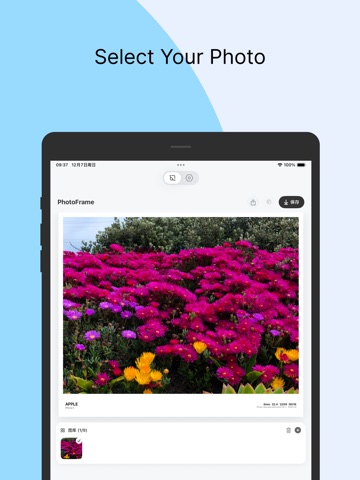
PhotoFramify helps you turn everyday photos into polished, share-ready visuals with clean frames, camera watermarks, EXIF details, collage layouts, and color-inspired templates. Add a minimal border, place a camera-style watermark, show shooting details, create a freeform collage, or build a color story from your photo. The app is designed for photographers, mobile creators, travelers, and anyone who wants their images to feel more intentional before posting. Key features: Camera watermark templates with border, side, top, bottom, and transparent styles EXIF-based camera details, including brand, model, lens, focal length, aperture, shutter, ISO, and date Custom text, location, logo display, watermark position, font, color, and border controls Film, Polaroid, blank space, cinematic, and story-style templates Grid collage, freeform collage, Color Walk, photo palette, and grid slicing tools Filters, blur backgrounds, custom colors, and reusable templates Export polished images for Photos, social posts, portfolios, and stories PhotoFramify is not a heavy photo editor. It is a finishing tool: focused, visual, and built to make your photos look composed, intentional, and ready to share. Multi-language Support • 中文 • English Use Cases • Photography portfolio presentation • Social media sharing • Travel photo organization • Artistic creation • Photography notes Whether you're a professional photographer or photography enthusiast, PhotoFramify helps make your photos more artistic. Download now and start your creative journey! --- Privacy Protection • All photo processing done locally • No photos uploaded to servers • No personal information collected https://www.apple.com/legal/internet-services/itunes/dev/stdeula/ Support: zhyl1881@163.com
Latest release
What’s New
- New Subject Sticker template. In Color Walk, you can now long-press a subject in your photo to lift out a person, pet, or object, then turn it into a creative sticker with outline and shadow. Perfect for layered collages, travel memories, and social-ready images.
Audience growth
Ratings growth
Baseline captured. Growth appears after the crawler observes a changed rating count.
Momentum comes from crawler snapshots for the tracked storefront. “Viral growth signal” means unusually fast recent rating gains; it is an indicator, not download data.
Price tracking
Price intelligence
First snapshot captured. The trend line starts after the next crawler price observation.
- First observed Aug 19, 2026 · 7:20 PM Free
Screenshots