About this app
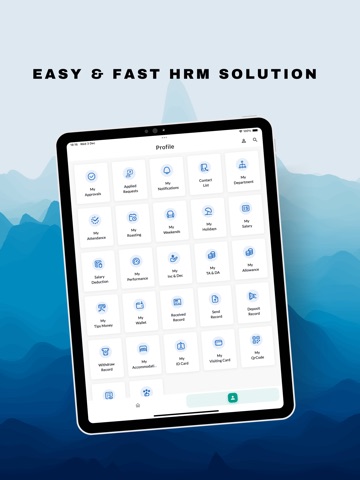
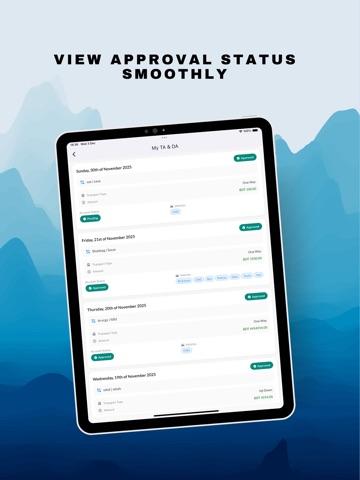
Neways Employee – Your Complete Workplace Companion The Neways Employee app connects you to the essential HR, attendance, payroll, and workplace services you use every day at Neways International Company Ltd. Designed to integrate with the company’s central ERP system, the app helps you stay informed, manage your work activities, and access important resources anytime, anywhere. Whether you need to check your attendance, view salary details, apply for leave, track requests, manage departmental workflows, or stay updated with company notifications—everything is available in one secure mobile app. Personal & HR Services: View attendance records, holidays, weekends, and duty rosters Access salary details, deductions, TA/DA, allowances, tips, and wallet balance See your performance history, increments/decrements, and achievements Access your digital ID card, visiting card, and QR code Manage your accommodation details and hostel information Requests & Approvals: Submit requests for leave, attendance corrections, tasks, duty schedules, mobile allowance, car requests, salary advances, and more Send and receive wallet transactions including deposit and withdrawal requests Track all submitted and approved requests in one place Manager & Supervisor Tools: Manage subordinate attendance, rosters, holidays, performance, increments, and promotions Approve or reject employee requests Handle department or branch changes, recruitment, and employee status updates Generate salary and experience certificates Communication & Support: Receive company notifications Contact colleagues through the internal directory Submit complaints and provide feedback Seamless Integration with ERP: All employee information is centrally managed in Neways International’s ERP system. The app securely displays your data, syncs updates, and allows you to interact with HR and operational workflows with ease. Designed for Neways Employees: This app is exclusively for employees of Neways International Company Ltd and requires company-provided login credentials.
Latest release
What’s New
- Improved Approval UI - Bug fixed and improved UX
Audience growth
Ratings growth
Baseline captured. Growth appears after the crawler observes a changed rating count.
Momentum comes from crawler snapshots for the tracked storefront. “Viral growth signal” means unusually fast recent rating gains; it is an indicator, not download data.
Price tracking
Price intelligence
First snapshot captured. The trend line starts after the next crawler price observation.
- First observed Aug 20, 2026 · 12:33 AM Free
Screenshots