About this app
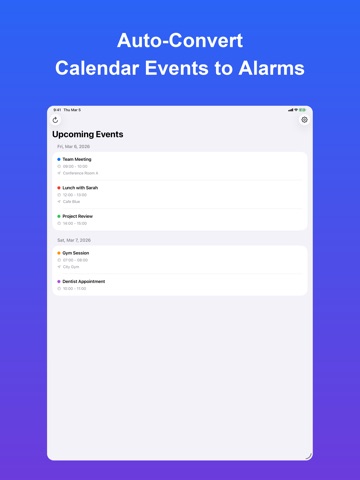
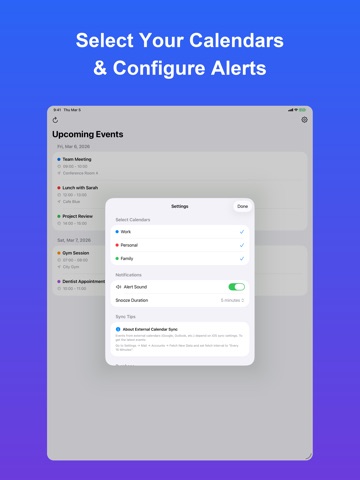
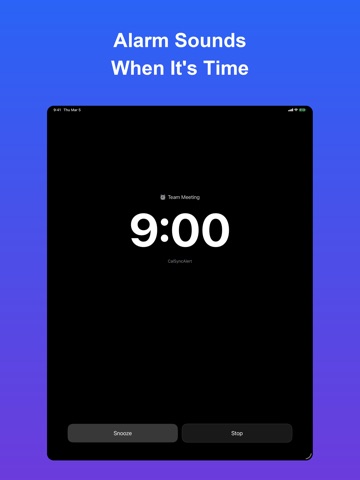
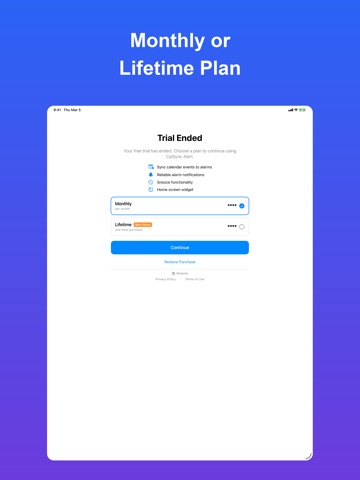
Never miss a calendar event again. CalSyncAlert turns your calendar events into full-screen alarms that can't be ignored. Standard notifications get buried. CalSyncAlert delivers real alarms — just like your morning wake-up alarm — for every calendar event. SET UP IN 1 MINUTE Simply grant calendar access, choose which calendars to sync, and you're done. CalSyncAlert automatically monitors your events and sets alarms. KEY FEATURES • Automatic Alarm Sync — Events from Google Calendar, iCloud, Outlook, and more are automatically converted to alarms • Full-Screen Alerts — Unlike quiet notifications, our alarms demand your attention with sound and on-screen alerts • Smart Snooze — Snooze for 1, 5, 10, 15, or 30 minutes to fit your schedule • Multiple Alarm Sounds — Choose from 4 built-in alarm tones • Home Screen Widget — See your next alarm at a glance with real-time countdown • Background Sync — Alarms stay updated even when the app is closed • Multi-Calendar Support — Sync from all your calendars at once • Recurring Events — Automatically handles repeating events WHO IS THIS FOR? → Busy professionals who can't afford to miss meetings → People who ignore standard phone notifications → Google Calendar users who want stronger alerts on iPhone → Anyone who has ever overslept through an important appointment PRICING • 14-day free trial — Full access to all features • Monthly subscription — Flexible monthly plan • One-time purchase — Pay once, use forever Your calendar data stays on your device. We collect no personal data. Privacy Policy: https://techback.info/calsync-alert/privacy-policy.html Terms of Use (EULA): https://techback.info/calsync-alert/terms-of-use.html
Latest release
What’s New
v1.15 — Fixes for alarm cancellation and notifications. • Fixed alarms still ringing for an event you had already deleted. • Fixed "Dismiss" on a notification also removing the same event's other alerts. • Fixed the snooze duration setting being ignored, so snooze was always 5 minutes. • Fixed notifications arriving up to a minute earlier than the set time. • Fixed a next alarm being scheduled after you turned alarms off. • Reworked widget refresh so the display stays more consistent. • The Shortcuts action name now appears in your own language. Thank you for using CalSync Alert.
Audience growth
Ratings growth
Baseline captured. Growth appears after the crawler observes a changed rating count.
Momentum comes from crawler snapshots for the tracked storefront. “Viral growth signal” means unusually fast recent rating gains; it is an indicator, not download data.
Price tracking
Price intelligence
First snapshot captured. The trend line starts after the next crawler price observation.
- First observed Sep 7, 2026 · 7:36 PM Free
Screenshots