About this app
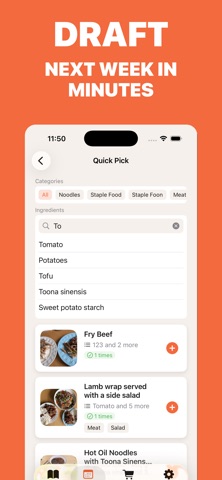
Saw a recipe you actually want to cook? Snap it, screenshot it, or just paste the link — AI reads out the ingredients, steps and amounts in seconds, and files it as a recipe you can cook from. WhatCookNext = AI Recipe Capture + Weekly Meal Plan + Auto Grocery List. A recipe keeper for people who actually cook. • AI Recipe Scan: Any recipe photo or screenshot becomes a structured recipe • One-Tap Link Import: Paste a recipe link — posts and videos both work • Weekly Meal Plan: Give every dish a day and a meal — breakfast, lunch or dinner • Auto Grocery List: Built from your plan, duplicates merged and amounts added up • Cooking Calendar: A month of what you cooked, at a glance • Beautiful Sharing: Export any recipe as an image worth sending • iCloud Sync: Your recipes follow you to every device Free: 1 AI scan every day, plus 5 welcome bonus scans for new users. Lifetime: 5 scans/day. Subscription: 50 scans/day. Terms of Use (EULA): https://www.apple.com/legal/internet-services/itunes/dev/stdeula/
Latest release
What’s New
• Planned recipes can now be assigned to a specific meal — breakfast, lunch or dinner, so a day's plan reads at a glance (leave one Undecided if you only want to pick the day) • Your shopping list now merges repeated ingredients into a single line and adds up quantities that share a unit
Audience growth
Ratings growth
Baseline captured. Growth appears after the crawler observes a changed rating count.
Momentum comes from crawler snapshots for the tracked storefront. “Viral growth signal” means unusually fast recent rating gains; it is an indicator, not download data.
Price tracking
Price intelligence
First snapshot captured. The trend line starts after the next crawler price observation.
- First observed Sep 8, 2026 · 3:42 PM Free
Screenshots