About this app
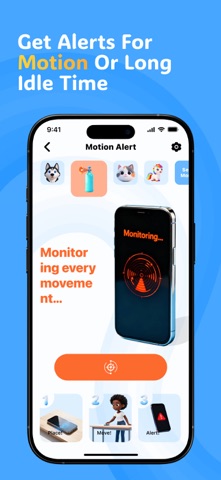
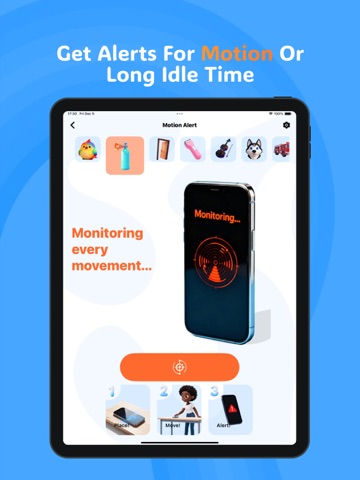
FindKeeper – Keep Your Devices Always Within Reach FindKeeper is your all-in-one smart assistant designed to help you locate your devices, prevent accidental loss, and stay aware of your surroundings—effortlessly and intuitively. Whether your phone slips between couch cushions or your earphones wander off again, FindKeeper helps you stay in control with quick, reliable alerts and intelligent detection. Why FindKeeper Makes Everyday Life Easier 1. Accessory Finder Locate misplaced Bluetooth accessories with ease. - Track connected Bluetooth earbuds - Get instant alerts when the connection drops unexpectedly - View distance and signal hints to guide you back 2. Sound Trigger Finder Can’t remember where you left your phone? FindKeeper listens for simple everyday sounds to help you retrieve it instantly—no extra devices required. - Responds to familiar sound cues - Works even when the screen is off - Fast wake-up and accurate audio recognition 3. Motion Notice Stay informed whenever your device is moved or left untouched for too long. - Movement detection alarms - Long-idle reminders to avoid forgetting your phone - Helpful in cafés, offices, libraries, or travel scenarios 4. Smart Reminder Your personal mini-assistant for daily routines. - Device forget-check checklist - Tap-to-remind quick notes - Convenient for travel, work, and on-the-go tasks 5. Multiple Alert Sounds Choose from a variety of alert tones to match your style—subtle, sharp, or anything in between. Designed for Precision. Built for Peace of Mind. FindKeeper focuses on practical protection without complicated setup. Fast audio recognition, lightweight power usage, and seamless device compatibility make it simple to keep track of your essentials anytime. Start your smarter, calmer, more organized digital life with FindKeeper today. Privacy Policy: https://findkeeper.quantagarage.com/static/findkeeper/privacy-policy.html Terms of Use: https://findkeeper.quantagarage.com/static/findkeeper/terms-of-use.html
Latest release
What’s New
What's New Kicked out a handful of bugs and gave the interface a polish pass. Everything feels snappier, tighter, just better. Thanks for hanging in there. More thoughtful touches coming soon.
Audience growth
Ratings growth
Baseline captured. Growth appears after the crawler observes a changed rating count.
Momentum comes from crawler snapshots for the tracked storefront. “Viral growth signal” means unusually fast recent rating gains; it is an indicator, not download data.
Price tracking
Price intelligence
First snapshot captured. The trend line starts after the next crawler price observation.
- First observed Aug 19, 2026 · 5:43 AM Free
Screenshots