About this app
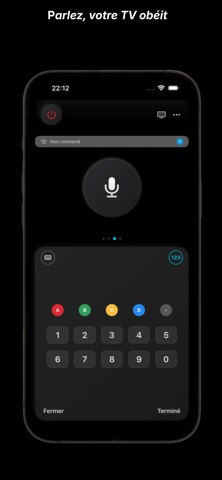
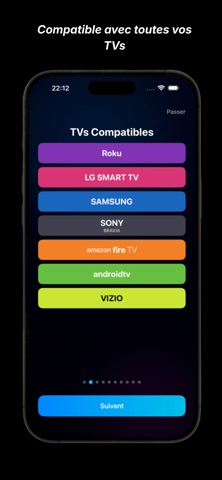
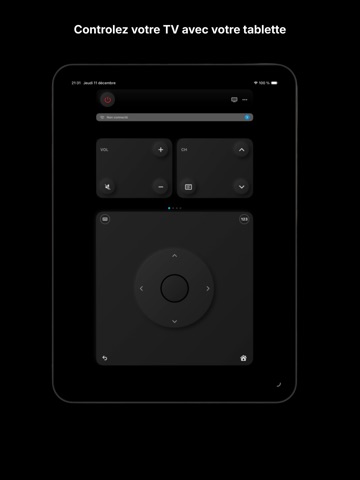
UNIVERSAL REMOTE WITH AI VOICE CONTROL Say goodbye to lost remotes! RemoteAI transforms your iPhone into the smartest and most powerful remote on the market. Control all your smart TVs from a single app, powered by artificial intelligence. UNIVERSAL COMPATIBILITY One app for all your TVs. No more juggling between different remotes! SMART VOICE CONTROL (Pro Subscription Required) Talk naturally to your TV like you would to a friend: - "Turn up the volume" - "Open Netflix" - "Next channel" - "Turn off the TV in 30 minutes" Our AI understands your intentions and executes instantly. No complicated phrases to memorize, just speak and let the magic happen. MAIN FEATURES (Free) - Complete remote with all essential buttons - Smooth touchpad for intuitive navigation - Quick app launch (Netflix, YouTube, Disney+, Prime Video, Spotify) - Volume and channel control - Built-in keyboard for easy text input on your TV - Night mode with elegant dark interface - Automatic TV discovery on your network WIDGET AND SIRI SHORTCUTS Access essential controls without even opening the app: - Home screen widget with quick buttons - Customizable Siri Shortcuts - Control from Control Center - Quick actions from app icon "Hey Siri, open Netflix" and you're set! PREMIUM DESIGN Modern and elegant interface designed for an exceptional user experience: - Smooth and responsive animations - Dark mode support - Haptic feedback for every action - Clean and intuitive design - Optimized for iPhone and iPad PRIVACY FIRST - No personal data collection - Direct connection to your TV (no intermediate server) - Works entirely locally on your WiFi network - No account required for basic features PRO SUBSCRIPTION (In-App Purchase) Unlock the full potential with Pro subscription: - Unlimited AI voice control - Natural language understanding - Early access to new features - Priority support Pricing: Monthly or annual subscription with automatic renewal. Payment will be charged to your iTunes account upon purchase confirmation. Subscription automatically renews unless auto-renewal is turned off at least 24 hours before the end of the current period. You can manage and cancel your subscriptions in your App Store account settings. SIMPLE SETUP 1. Connect your iPhone to the same WiFi as your TV 2. Launch RemoteAI 3. Select your TV from the list 4. Accept the connection on your TV 5. You're ready! Enjoy your new remote SUPPORT Questions? Our team is here to help. Contact us directly from the app. LEGAL INFORMATION Terms of Use: https://remoteuniversalpro.netlify.app/cgu Privacy Policy: https://remoteuniversalpro.netlify.app/privacy Download RemoteAI now and discover a new way to control your TV!
Latest release
What’s New
-Changing the application name - UI optimization for all iPhone models
Audience growth
Ratings growth
Baseline captured. Growth appears after the crawler observes a changed rating count.
Momentum comes from crawler snapshots for the tracked storefront. “Viral growth signal” means unusually fast recent rating gains; it is an indicator, not download data.
Price tracking
Price intelligence
First snapshot captured. The trend line starts after the next crawler price observation.
- First observed Aug 8, 2026 · 9:55 PM Free
Screenshots