About this app
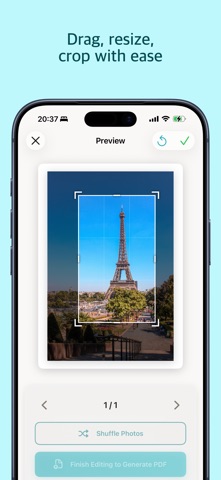
Printora makes printing your favorite photos effortless. Simply select your photos, and our intelligent AI will analyze them to create beautiful A4 layouts optimized for printing. SMART LAYOUTS, ZERO EFFORT Mixing portrait and landscape photos for printing is frustrating. Printora solves this automatically. Our Vision AI detects people and arranges photos optimally - no manual adjustments needed. THREE LAYOUT STYLES • Diagonal - Magazine-style layouts with dynamic visual flow • Grid - Traditional balanced arrangements • Overlap - Sophisticated layered designs with depth POWERFUL EDITING TOOLS Fine-tune every detail: • Drag to reposition photos freely • Drag-to-swap in Grid/Diagonal modes for instant reordering • Shuffle to randomize photo order on the page • Overlap mode supports layered positioning • Pinch to resize with intelligent auto-adjustment • Rotate photos 90 degrees • Crop with precision 8-handle controls • Delete unwanted photos SMART ORGANIZATION Photos are automatically organized by location and time. Pictures from the same event stay together across pages. PRINT-READY OUTPUT Generate high-quality 300 DPI PDFs perfect for: • Home printing on A4 paper • Professional print services • Sharing with family and friends FOR PERSONAL & BUSINESS USE Perfect for family albums, event documentation, real estate listings, product catalogs, and professional presentations. Print multiple photos per page or one photo per page - your choice. KEY FEATURES • Visual threshold previews with real-time feedback • AI-powered person detection • 3 layout modes: Diagonal, Grid, Overlap • Per-page layout customization • Intelligent resize system • Location-based photo grouping • 300 DPI PDF export • AirPrint support Download Printora and transform your photos into beautiful prints today. Terms of Use: https://www.printora.app/terms Privacy Policy: https://www.printora.app/privacy
Latest release
What’s New
New in 2.0: Visual threshold previews! Settings and project info now show interactive mini-previews of exactly how detection and pagination thresholds affect your photos. See real-time visual feedback as you adjust sensitivity - making it crystal clear which confidence levels will be detected and how many photos fit per page. Custom badges highlight project-specific overrides.
Audience growth
Ratings growth
Baseline captured. Growth appears after the crawler observes a changed rating count.
Momentum comes from crawler snapshots for the tracked storefront. “Viral growth signal” means unusually fast recent rating gains; it is an indicator, not download data.
Price tracking
Price intelligence
First snapshot captured. The trend line starts after the next crawler price observation.
- First observed Sep 4, 2026 · 2:38 AM Free
Screenshots