About this app
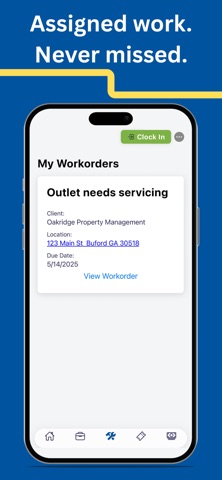
ERPsy Mobile is the companion app for the ERPsy workforce management and project operations platform. It is designed for employees and technicians who already have an active ERPsy account provided by their employer. The mobile experience focuses on fast, accurate field interaction—clocking in and out, viewing assigned work, submitting expenses, managing time off, and staying connected to project details. Key Features • Dashboard Overview Quickly review your role, hours worked this pay period, recent notifications, and drill down into detailed time entries. • Jobs & Work Details Access job information including address, supervision, schedules, documents, drawings, submittals, contacts, and expenses. Many resources open as secure external documents. • Work Orders & Tickets View active assignments, check details, and update work orders or tickets when complete. • Time Tracking Clock in and out directly from the header. Review all logged time entries with a clean, simple breakdown. • Expenses Submit new expenses on the go by entering amounts and descriptions, and view recent entries for accuracy and record-keeping. • Time Off Manager See your available, pending, approved, and used PTO—all in one place. Submit new time-off requests from the app. • Calendar View tasks, scheduled items, and time-off requests on a monthly calendar. Tap any date to see event details. • Profile & Personal Info Access your contact info, employer details, emergency contacts, and paystubs. Quick links to privacy policy and terms of service included. Requires an ERPsy Account ERPsy Mobile is intended for companies already using ERPsy. User accounts must be created by your employer. Registration is not available within the app.
Latest release
What’s New
What’s New This update introduces new ways to stay connected and get more done on the go: • Stay informed with push notifications • Access CRM account data directly from the app • Build and manage quotes on the go • Complete and submit surveys from your device • Enjoy improved performance and reliability with various bug fixes Update today to take advantage of the latest features and improvements.
Audience growth
Ratings growth
Baseline captured. Growth appears after the crawler observes a changed rating count.
Momentum comes from crawler snapshots for the tracked storefront. “Viral growth signal” means unusually fast recent rating gains; it is an indicator, not download data.
Price tracking
Price intelligence
First snapshot captured. The trend line starts after the next crawler price observation.
- First observed Aug 19, 2026 · 7:38 PM Free
Screenshots