About this app
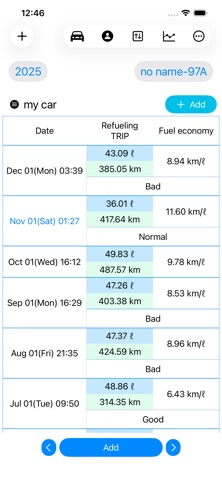
Records your car's refueling amount and trip data and displays fuel economy (km/l). Displays a refueling amount chart. Displays a trip data chart. Displays a fuel economy chart. ▼Procedure for Recording Fuel Amount and Trip Information 1. Press the Record button. 2. Select a vehicle from the list. 3. Select the date and press Next. 4. Enter the refueling amount and trip information and press OK. 5. Enter any notes and press OK.
Latest release
What’s New
change app screen
Audience growth
Ratings growth
Baseline captured. Growth appears after the crawler observes a changed rating count.
Momentum comes from crawler snapshots for the tracked storefront. “Viral growth signal” means unusually fast recent rating gains; it is an indicator, not download data.
Price tracking
Price intelligence
First snapshot captured. The trend line starts after the next crawler price observation.
- First observed Aug 18, 2026 · 3:06 AM Free
Screenshots