About this app
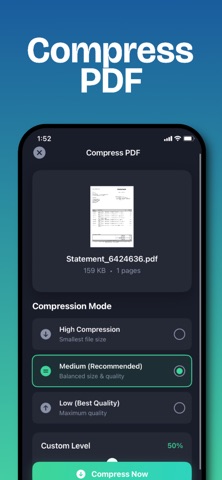
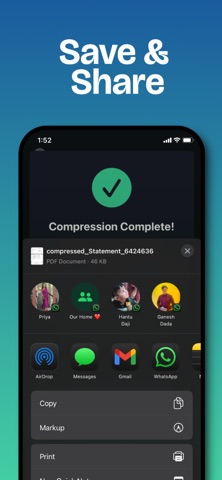
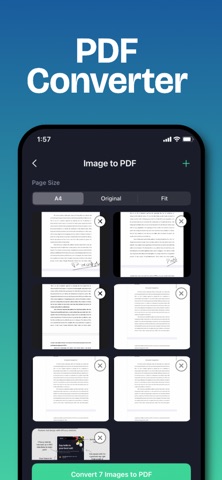
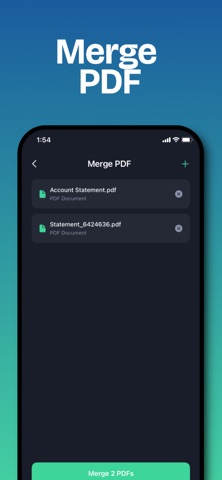
PDF Compressor – Compress PDF, Size reduce. PDF Compressor is a powerful all-in-one PDF tool that helps you compress PDF files, reduce PDF file size, and manage documents easily on your iPhone and iPad. The app works completely offline, keeping your files private and secure. Whether you want to shrink large PDFs, merge multiple documents, extract text using OCR, or convert images to PDF, PDF Compressor provides fast and reliable tools for everyday PDF needs. Compress PDF Files Reduce PDF file size quickly without losing readability. Compress large PDF documents to save storage space and make sharing faster. All compression happens locally on your device with no internet connection required. Merge PDF Files Combine multiple PDF files into a single document. Useful for reports, assignments, invoices, and contracts. Split PDF Files Split PDF documents into separate files or extract selected pages. Easily manage large PDFs by breaking them into smaller documents. OCR Text Recognition Extract text from scanned PDFs and images. Convert scanned documents into searchable and editable text for easy reuse. Reorder PDF Pages Change the order of PDF pages using a simple drag and drop interface. Organize documents exactly as needed. Remove PDF Pages Delete unwanted pages from PDF files to clean up documents and reduce file size. Rotate PDF Pages Rotate PDF pages to fix incorrect orientation. Apply rotation to single or multiple pages. Image to PDF Convert images such as JPG or PNG into PDF files. Combine multiple images into a single PDF document. Easy Sharing Share compressed and edited PDF files instantly using email, messaging apps, cloud storage, or AirDrop. Privacy and Security All PDF processing is done locally on your device. No files are uploaded to servers. Your documents remain completely private. Premium Subscription Advanced features and an ad-free experience are available with a premium subscription. Monthly and yearly plans are offered with a free trial. Subscriptions automatically renew unless canceled through App Store settings. PDF Compressor is ideal for students, professionals, business users, and anyone who works with PDF files regularly. Download PDF Compressor today to compress, edit, and manage PDFs efficiently on iOS. Privacy policy: https://pdfcompresssorapp.blogspot.com/2025/12/pdf-compressor-app-privacy-policy.html Terms of Use: https://pdfcompresssorapp.blogspot.com/2025/12/pdf-compressor-app-terms-of-use.html
Latest release
What’s New
Thanks for choosing Compress PDF : PDF Size Reduce App. This update contains : - Minor bug fixes - UI improvements.
Audience growth
Ratings growth
Baseline captured. Growth appears after the crawler observes a changed rating count.
Momentum comes from crawler snapshots for the tracked storefront. “Viral growth signal” means unusually fast recent rating gains; it is an indicator, not download data.
Price tracking
Price intelligence
First snapshot captured. The trend line starts after the next crawler price observation.
- First observed Aug 19, 2026 · 9:03 AM Free
Screenshots