About this app
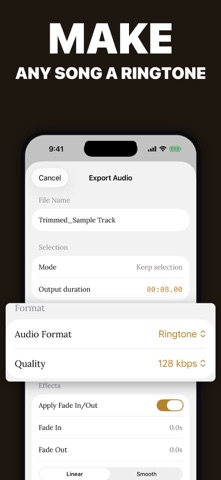
Audio File Trimmer & Cutter helps you turn recordings, songs, voice notes, and clips into clean audio files in minutes. Open an audio file, zoom into the waveform, and choose exactly where your cut should begin and end. Keep the selected part, or remove a section and join the remaining audio together. Preview your edit, adjust the range with fine time controls, then export the finished file. Features: • Waveform editor with zoom, handles, and precise time controls • Keep a selected section or remove an unwanted section • Fade in and fade out for smoother starts and endings • Normalize volume or adjust export gain • Export as M4A, AAC, WAV, CAF, or iPhone ringtone • Save to Files or share the finished audio • Recent files for quick access • Works offline for trimming and editing • Light, dark, and system appearance modes Use it for: • Custom iPhone ringtones • Voice memos and lectures • Podcast clips and interviews • Music snippets and practice loops • Sound effects and short audio edits Audio editing should feel clear, fast, and controlled. Audio File Trimmer & Cutter gives you the tools you need without burying the simple job under a complicated studio interface. Audio Trimmer Pro unlocks export, save, share, and advanced output features. Payment is charged to your Apple ID after confirmation. Subscriptions renew automatically unless canceled at least 24 hours before the end of the current period. Manage or cancel anytime in App Store account settings. Terms of Use: https://www.apple.com/legal/internet-services/itunes/dev/stdeula/ Privacy Policy: https://docs.google.com/document/d/1b2FQZ_HK2I_6ZBJhiaJw_Vii5aKW9D4dYjGfP9C8efU/edit?usp=sharing
Latest release
What’s New
Bug fixes and performance improvements for a smoother audio editing experience.
Audience growth
Ratings growth
Baseline captured. Growth appears after the crawler observes a changed rating count.
Momentum comes from crawler snapshots for the tracked storefront. “Viral growth signal” means unusually fast recent rating gains; it is an indicator, not download data.
Price tracking
Price intelligence
First snapshot captured. The trend line starts after the next crawler price observation.
- First observed Aug 11, 2026 · 8:17 AM Free
Screenshots