About this app
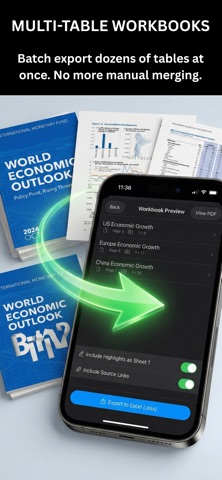
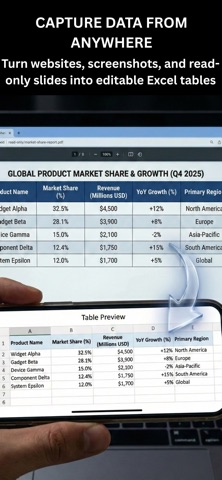
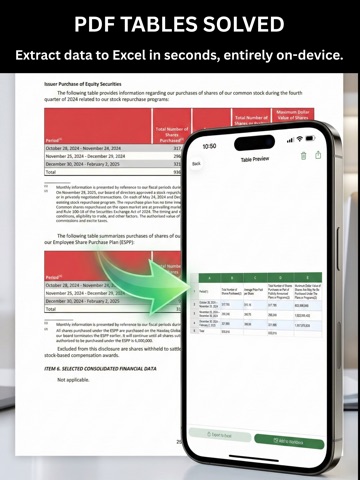
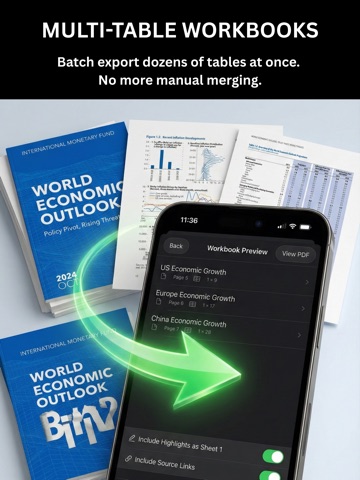
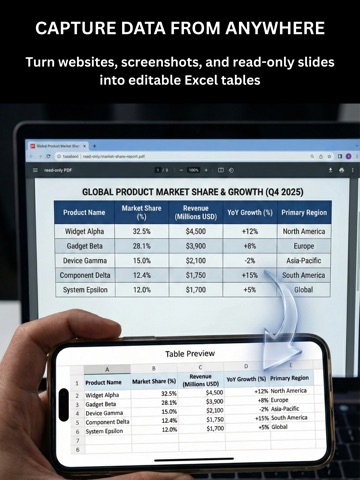
Core PDF AI – Precision PDF to Excel Extraction Tired of “AI” converters that hallucinate columns, split headers, and turn your financial reports into a cleanup nightmare? Core PDF AI doesn’t guess — it lets you guide the extraction in seconds, then uses on-device intelligence to deliver perfect Excel tables every time. The Human-in-the-Loop Workflow That Actually Works Instant start — Open a PDF, scan a document, pick a photo, or paste from clipboard. No folders, no saving required. Apple intelligence finds the table — On supported devices, the table is auto-detected and highlighted in one tap. You verify or adjust — Tap to confirm columns and rows (or let the app suggest them). Takes seconds, not minutes. Perfect data extraction — Numbers, text, multi-line headers, and merged cells are captured exactly. Ready-to-use Excel — Real .xlsx files with proper formatting, sheet names, and traceable source links. Why Core PDF AI Beats Fully Automatic Tools Precision you control — No more misaligned columns or broken hierarchies. Handles anything — Clean PDFs, messy scans, screenshots, even photos of printed reports. True Excel output — Formatted numbers, currencies, percentages, and multi-row headers preserved. Multi-table workbooks — Extract dozens of tables from a single document into organized sheets. Financial-grade privacy — 100% on-device processing. Nothing ever leaves your iPhone or iPad. No subscriptions. Pay once, own forever. Stop wasting time fixing bad extractions. Get the control and accuracy professionals demand. Download Core PDF AI today — the only PDF-to-Excel tool that respects your intelligence.
Latest release
What’s New
Added new dashboard to make it 10x faster to capture and extract your table into Excel. Added entirely new AI to auto detect tables, rows, and columns. Now works 10x faster if AI finds the table and it often does. Before this app was only fast and easy to use if you already had your PDF document or image saved to your files. Now you can extract tables directly from your clipboard, by taking photos, or from PDFs as before. Going from table to Excel file just got 10x faster and easier than before.
Audience growth
Ratings growth
Baseline captured. Growth appears after the crawler observes a changed rating count.
Momentum comes from crawler snapshots for the tracked storefront. “Viral growth signal” means unusually fast recent rating gains; it is an indicator, not download data.
Price tracking
Price intelligence
First snapshot captured. The trend line starts after the next crawler price observation.
- First observed Aug 16, 2026 · 8:52 AM $9.99
Screenshots