About this app
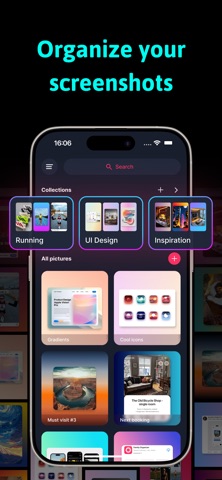
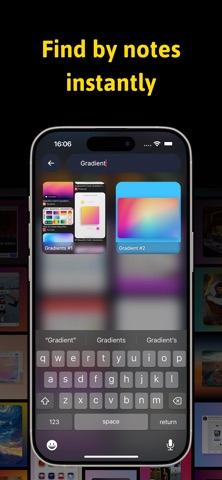
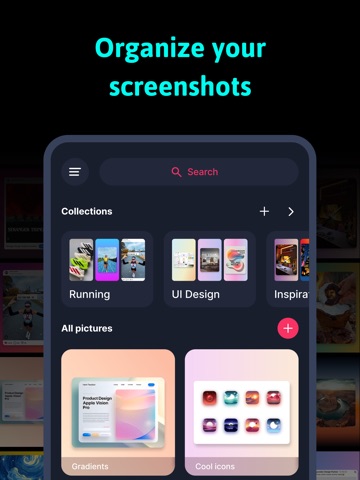
SnapHub – Screenshot Editor & Organizer Transform your screenshots with SnapHub, the ultimate screenshot editor and image organizer! Edit, enhance, and organize all your captures effortlessly in one hub. Key Features: • Organize Photos & Screenshots – Keep all your captures neatly sorted in collections. Never lose a screenshot again! • Edit Backgrounds & Images – Crop, rotate, flip, and scale your screenshots. Add gradient backgrounds or change the aspect ratio to create the perfect layout. • Shadow Styling – Add shadows with customizable position, transparency, and color. • Stylize Your Screenshots – Round corners, scale images, and adjust layers for standout visuals. • Add Captions & Notes – Annotate your screenshots with titles and labels for quick reference. • Search & Find – Easily locate screenshots by captions or collections. Why SnapHub? • Perfect for screen capture, snap edits, and mockups. • Combine multiple images with pic stitch or create custom layouts. • Enhance your screenshots with background editing, gradients, and shadow effects. • Keep everything private and organized in your personal photo hub. Whether you’re a designer, student, or casual user, SnapHub makes it easy to organize, edit, and annotate screenshots in a snap. Some features are available with limited free usage. A paid subscription unlocks full access to pro features, including: • Unlimited exports • High-quality image export • Unlimited collections • Unlimited notes search • Additional shadow colors Subscription is optional. All personal data is protected in accordance with the Terms of Use and Privacy Policy: https://birapps.com/privacy https://birapps.com/terms
Latest release
What’s New
- Fixing Bugs
Audience growth
Ratings growth
Baseline captured. Growth appears after the crawler observes a changed rating count.
Momentum comes from crawler snapshots for the tracked storefront. “Viral growth signal” means unusually fast recent rating gains; it is an indicator, not download data.
Price tracking
Price intelligence
First snapshot captured. The trend line starts after the next crawler price observation.
- First observed Aug 19, 2026 · 7:38 PM Free
Screenshots