About this app
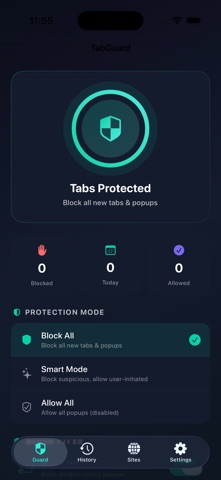
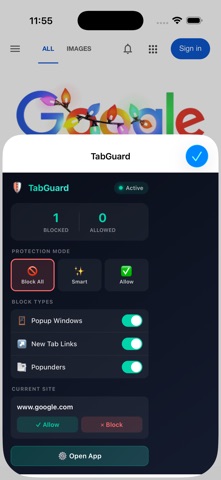
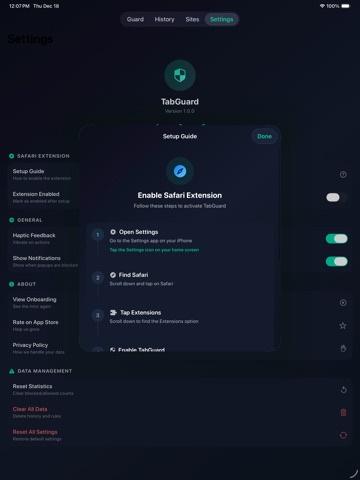
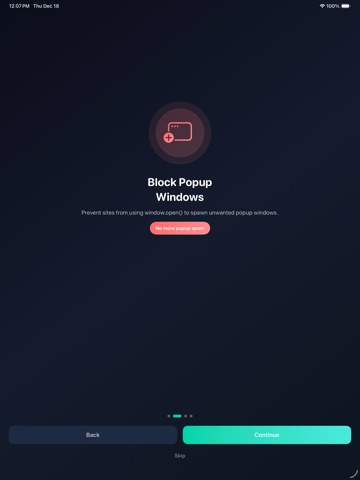
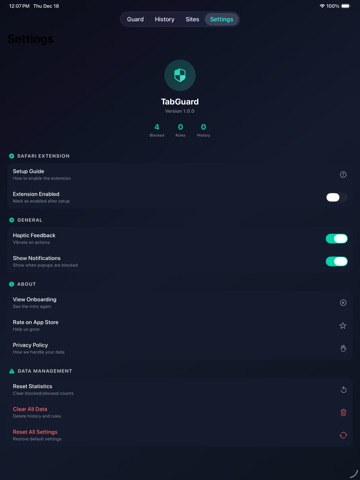
Take back control of your Safari tabs! TabGuard blocks annoying popups and unwanted new tabs while you browse. Tired of websites opening random tabs when you click anything? TabGuard is a powerful Safari extension that stops websites from hijacking your browsing experience with unwanted popups, new tab links, and sneaky redirect tricks. ----------------------------------- WHY TABGUARD? Every day, websites try to force open new tabs, spawn popup windows, and redirect you to ads. TabGuard puts you back in control — block everything, allow trusted sites, or let Smart Mode decide automatically. ----------------------------------- KEY FEATURES ◉ BLOCK POPUP WINDOWS Stop sites from using window.open() to spawn unwanted popup windows in your face. ◉ BLOCK NEW TAB LINKS Prevent links from forcing new tabs to open. Keep browsing in your current tab. ◉ BLOCK POPUNDERS Stop sneaky scripts that try to open tabs behind your current window. ◉ THREE PROTECTION MODES • Block All — Maximum protection, blocks everything • Smart Mode — Allows your clicks, blocks scripts • Allow All — Disable protection when needed ◉ SITE-SPECIFIC RULES Whitelist sites you trust to allow their popups. Blacklist annoying sites to always block them. ◉ REAL-TIME NOTIFICATIONS See exactly what's being blocked with elegant on-page notifications. ◉ BLOCK HISTORY Track everything TabGuard blocks. See which sites are the worst offenders. ◉ INSTANT SYNC Settings sync instantly between the app and Safari extension. ----------------------------------- PERFECT FOR • Stopping ad popups on streaming sites • Preventing shopping sites from opening new tabs • Blocking redirect chains on sketchy sites • Keeping your browsing focused and clean • Protecting yourself from popup spam ----------------------------------- SMART MODE Don't want to block everything? Smart Mode intelligently distinguishes between: • YOUR clicks — allowed (you meant to do that) • Script-triggered popups — blocked (the site is being annoying) It's the perfect balance between protection and usability. ----------------------------------- EASY SETUP 1. Install TabGuard 2. Open Safari Settings → Extensions 3. Enable TabGuard Extension 4. Done! You're protected. ----------------------------------- PRIVACY FIRST TabGuard processes everything locally on your device. No data collection, no tracking, no accounts required. Your browsing stays private. ----------------------------------- Download TabGuard today and browse without interruptions!
Audience growth
Ratings growth
Baseline captured. Growth appears after the crawler observes a changed rating count.
Momentum comes from crawler snapshots for the tracked storefront. “Viral growth signal” means unusually fast recent rating gains; it is an indicator, not download data.
Price tracking
Price intelligence
First snapshot captured. The trend line starts after the next crawler price observation.
- First observed Aug 20, 2026 · 10:53 PM Free
Screenshots