About this app
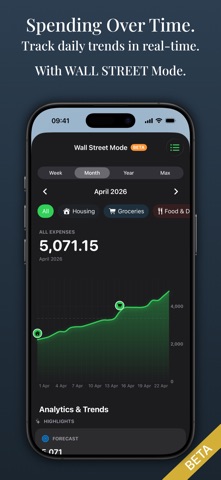
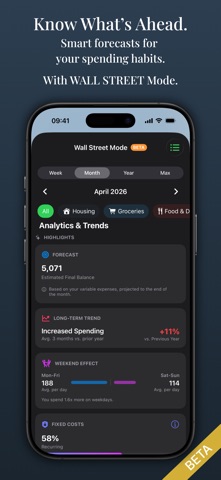
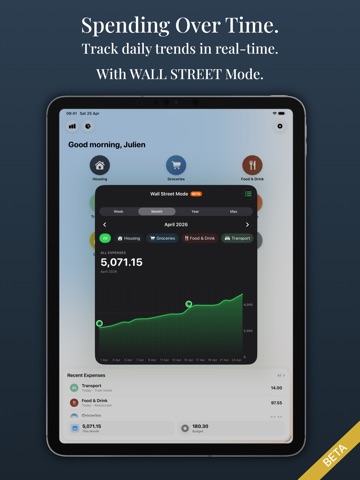
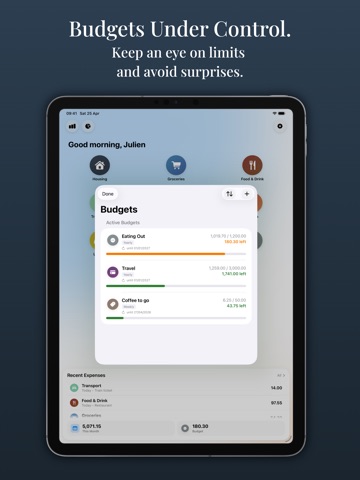
AURUM – BUDGET & EXPENSE TRACKER Aurum was born from a simple wish: an expense tracker that doesn’t feel like a chore. While other apps are becoming increasingly complex and data-hungry, Aurum takes the opposite approach. No accounts, no cloud, no nonsense. Just a handcrafted tool to help you master your finances in seconds. WHY AURUM? • Honest Model: We believe in tools you own, not rent. Test Aurum for free for your first 100 entries. After that, a single, fair payment unlocks the app forever – or use Aurum on a monthly basis if you prefer. • Focus on Essentials: A design that feels native and premium. Aurum is optimized to capture expenses in seconds. • Conscious Privacy: Your data stays under your control. Aurum uses no external servers, requires no account, and avoids third-party tracking. FEATURES AT A GLANCE: • Custom Categories & Labels: Organize your finances your way. Use fully configurable categories and additional labels (e.g., “Vacation” or “Rome 2026”) to group expenses thematically. • Lightning-Fast Entry: Record your daily expenses in seconds – directly from the start page. Or even straight from your Home Screen. • Smart Budgeting: Create custom budgets with flexible intervals. Use Budget Rollover to automatically carry over remaining amounts to the next period. • Budget Control: Keep an eye on running budgets with visual progress bars and see immediately how much money is left. • Home Screen Widgets: Monitor your most important budgets and spending trends right on your Home Screen – without opening the app. • Smart Notifications: Get discreet reminders to track expenses if you wish. Receive timely warnings before a budget is nearly exhausted. • Yearly Comparison & History: Analyze your financial progress over the years and compare your total spending at a glance. • Fixed Costs Radar: Keep your recurring subscriptions and fixed costs under control to avoid nasty surprises. • Data Control: Export or import your data anytime in CSV or JSON format. Aurum also backs up your data automatically on your device. Your information always remains in your hands. • Wallstreet Mode (Beta): Use graphical analyses and trends to better plan your spending in the long run. SIMPLICITY AS A PRINCIPLE Aurum is a tool for true financial clarity. Terms of Use: https://www.apple.com/legal/internet-services/itunes/dev/stdeula/
Latest release
What’s New
Improvements & Bug Fixes • Automatic backups can now be restored directly from a list when needed • New recovery assistant for data issues
Audience growth
Ratings growth
Baseline captured. Growth appears after the crawler observes a changed rating count.
Momentum comes from crawler snapshots for the tracked storefront. “Viral growth signal” means unusually fast recent rating gains; it is an indicator, not download data.
Price tracking
Price intelligence
First snapshot captured. The trend line starts after the next crawler price observation.
- First observed Aug 24, 2026 · 5:44 PM Free
Screenshots