About this app
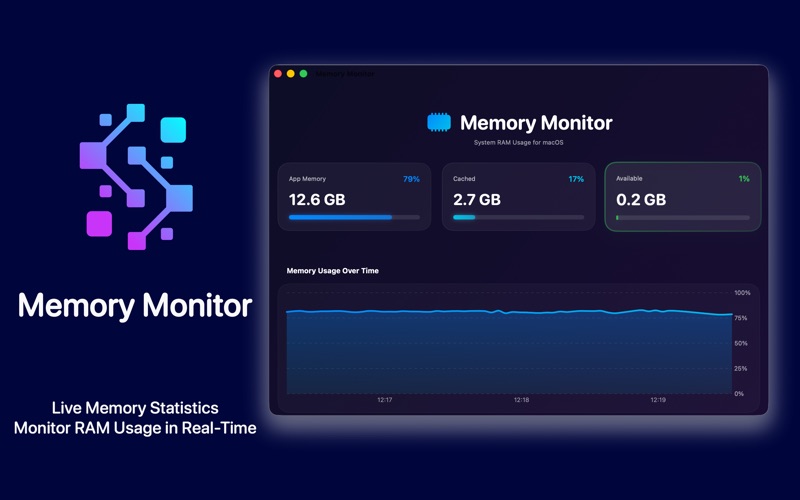
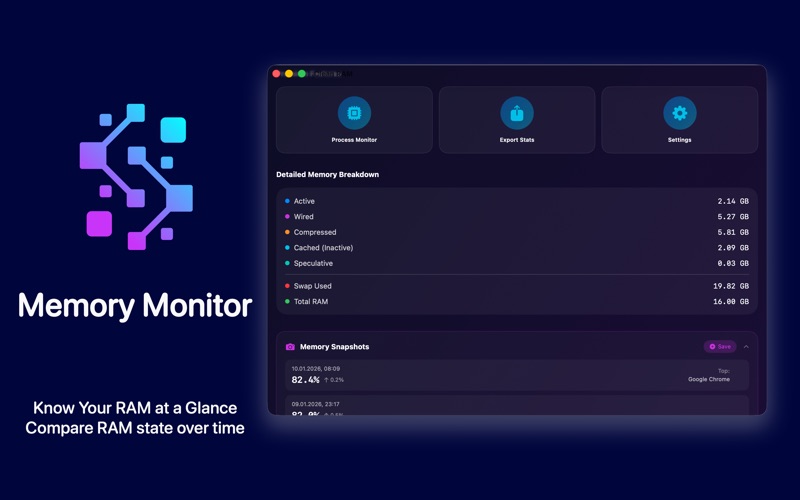
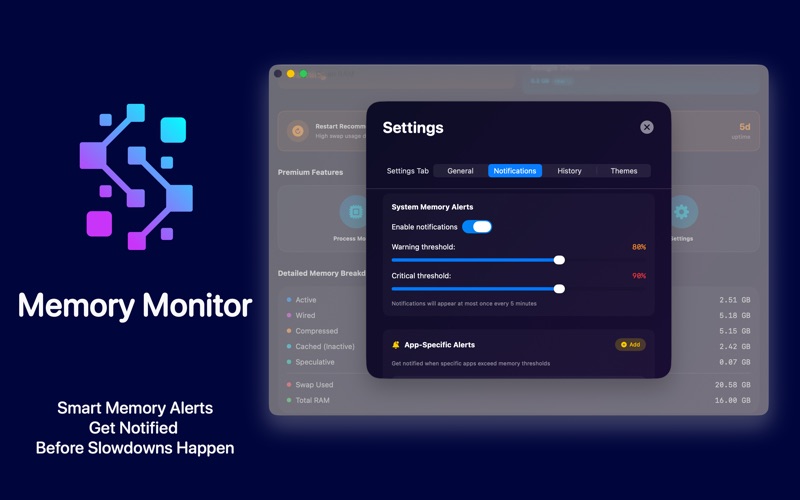
Memory Monitor is a beautiful memory dashboard designed specifically for macOS. Track your Mac's memory in real-time, understand how your system uses RAM, and get insights to keep your Mac running smoothly. The app lives in your menubar, showing live memory statistics with a stunning dark interface. See your Memory Health Score, track which apps consume the most RAM, and understand memory pressure at a glance. The real-time charts help you visualize how memory usage changes throughout your session. WHAT MAKES MEMORY MONITOR DIFFERENT: Memory Monitor helps you understand your Mac's memory. Our Memory Tips section explains how macOS actually manages RAM, when high usage is normal, and when you should take action. FREE FEATURES: • Memory Health Score (0-100) - instant system health overview • Memory Pressure indicator (Normal / Warning / Critical) • Real-time memory charts with usage history • Memory Trend indicator (↑ stable ↓) - see if usage is rising or falling • Top App display - which app uses the most RAM right now • Memory Snapshots - save and compare memory state over time • Detailed breakdown: Active, Wired, Compressed, Cached, Swap • Memory Tips & Education - learn how macOS memory actually works • Startup Apps shortcut - quick access to manage login items • Beautiful dark interface optimized for menubar The Memory Tips section is designed to help you understand macOS memory management. Many users worry when they see 90%+ memory usage, but this is often completely normal! macOS uses available RAM for caching to speed up your Mac. Our tips explain when to be concerned and when everything is working as designed. PREMIUM FEATURES: • Memory Hogs Widget - top 5 memory-consuming apps with icons • Process Monitor - detailed view of all running apps and their RAM usage • Comparison with Average - see current usage vs your weekly average • App Memory Alerts - get notified when specific apps exceed thresholds • 30-Day History - track memory patterns with beautiful charts • Export to CSV - analyze your data in spreadsheets • Smart Notifications - alerts at custom warning/critical thresholds • Custom Themes - 6 beautiful color schemes (Ocean, Forest, Sunset, and more) • Live Stats in Menubar - always visible percentage display Memory Hogs shows you exactly which applications consume the most RAM, displayed with app icons for easy identification. The widget updates in real-time, helping you make informed decisions about which apps to close. The Comparison feature tracks your weekly average memory usage and shows how current usage compares. Easily spot when something is consuming more memory than usual. App Memory Alerts let you set custom thresholds for specific applications. Get notified when Chrome exceeds 2GB or when Xcode uses more than 4GB - you decide what matters. WHAT IS "REAL MEMORY"? Memory Monitor shows Real Memory (Resident Size) for individual apps. This matches Activity Monitor's "Real Mem" column and represents RAM physically occupied by each app. Tap the "real ?" badge anywhere in the app for a detailed explanation. PRIVACY FOCUSED: • Zero analytics or tracking • No data collection whatsoever • Works completely offline • All data stays on your device • Fully sandboxed for security We don't know who you are or how you use the app. There are no network requests, no telemetry, no usage tracking. Your memory data never leaves your Mac. MINIMAL FOOTPRINT: Memory Monitor uses very little CPU and memory itself. Statistics update smoothly without draining your battery or affecting performance. Perfect for always-on menubar monitoring. IDEAL FOR: • Mac users who want to understand their system better • Creative professionals monitoring RAM during heavy workflows • Developers running multiple tools and environments • Anyone with 8GB or 16GB RAM who wants visibility into resources Questions or feedback? We'd love to hear from you. https://www.apple.com/legal/internet-services/itunes/dev/stdeula/
Latest release
What’s New
This update focuses on stability and consistency across the app. • Improved reliability of saved history to prevent conflicts during updates. • Notification preferences now persist correctly between app launches. • Process updates now run on a consistent schedule instead of varying randomly. • Exported files are now cleaner and easier to read. • Temporary files are now properly cleaned up to avoid unnecessary storage use.
Audience growth
Ratings growth
Baseline captured. Growth appears after the crawler observes a changed rating count.
Momentum comes from crawler snapshots for the tracked storefront. “Viral growth signal” means unusually fast recent rating gains; it is an indicator, not download data.
Price tracking
Price intelligence
First snapshot captured. The trend line starts after the next crawler price observation.
- First observed Aug 8, 2026 · 5:15 PM Free
Screenshots