About this app
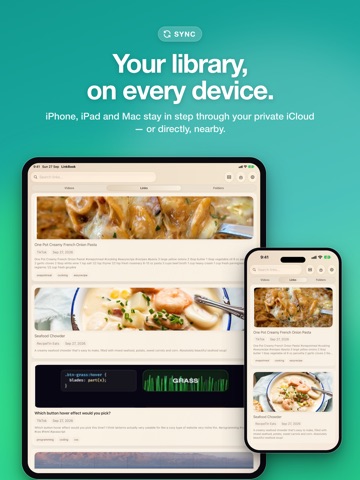
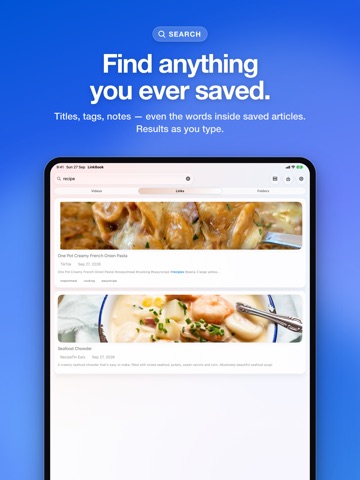
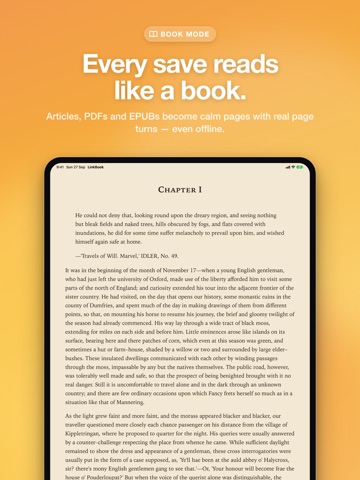
LinkBook helps you save what matters and come back later in a cleaner, calmer reading space. What you can do with LinkBook: • Save links from Safari and other apps with the Share Sheet • Keep articles, PDFs, and EPUBs in one library • Organize with tags, favorites, unread state, and quick filters • Read saved content in a focused Reader with adjustable text and themes • Highlight, bookmark, take notes, translate words, and build vocabulary while you read • Open Smart Cards for supported sources and use Reader Insights on supported Apple devices Premium unlocks: • iCloud Sync for your library • Unlimited Smart Cards • Unlimited Reader Insights • Book mode for long reading sessions • Automatic backups and private iCloud backup history • Import PDFs, EPUBs, and bookmark exports • Extra library controls like folders and hidden items LinkBook is built for people who save a lot and want a faster way to return to what matters. Terms of Use: https://www.apple.com/legal/internet-services/itunes/dev/stdeula/
Latest release
What’s New
LinkBook 4.0 is our biggest update yet. LISTEN • Have any article, EPUB or PDF read aloud, with each word highlighted as it's spoken. • Whole sentences flow naturally. • Sleep timer, one-tap speed, your Personal Voice and lock-screen controls. WRITE ON WHAT YOU READ • Underline, circle or strike through text with your finger or Apple Pencil. Marks snap neatly to the words. • Draw on PDF pages and add handwritten notes to your highlights. • Highlights made in other apps now appear in your PDFs, and you can edit them. SMARTER READING • Ask a document a question, or have a passage explained, on device. • Keep several notes per link, including quick summaries and key points. • Reader insights now sync across your devices. BOOK MODE • iPhone Duo: open it up and Book Mode shows two pages side by side, one on each side of the fold. • Pages stay perfectly in place, even in landscape and around the camera. • Reader controls float over the page and follow your reading theme, light or dark. A FRESH LOOK • A new app icon. • Books and documents show their own covers in your library. • Redesigned link pages, side panel and welcome screens. Plus steadier reading positions after updates, and many fixes
Audience growth
Ratings growth
Baseline captured. Growth appears after the crawler observes a changed rating count.
Momentum comes from crawler snapshots for the tracked storefront. “Viral growth signal” means unusually fast recent rating gains; it is an indicator, not download data.
Price tracking
Price intelligence
First snapshot captured. The trend line starts after the next crawler price observation.
- First observed Sep 30, 2026 · 1:24 PM Free
Screenshots