Apps by Direct Cursus Computer Systems Trading
Yandex Internetometer app icon

Utilities

Yandex Internetometer

Direct Cursus Computer Systems Trading

Free 4.82 · 4 storefronts · 11 ratings No in-app purchases
Open on Apple

About this app

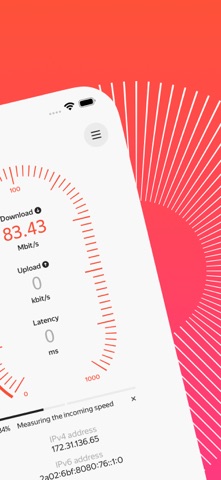
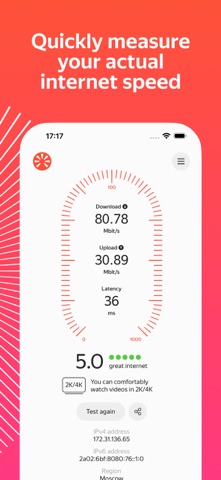
Yandex Internetometer is an app that measures your actual internet connection speed. How to check your speed - Start the test with one tap - Speed and latency appear in real time - The final result includes a short explanation of what the numbers mean You can also share the result. Copy the link and send it any way you like. What your speed affects How quickly websites open and files download depends on your download speed. Upload speed determines how quickly you can send data to the internet. For example, when sending emails, uploading photos to the cloud, or making video calls. Check your internet speed with Yandex Internetometer and see what your connection can handle.

Latest release

What’s New

Version 1.1.1 Jul 17, 2026

Small fixes

Audience growth

Ratings growth

Steady
7-day gain +0
Ratings / day 0.0
30-day gain +0
US rating-count history
8 ratings
8 Aug 5, 2026 · 8 ratings Aug 5, 2026

Baseline captured. Growth appears after the crawler observes a changed rating count.

Momentum comes from crawler snapshots for the tracked storefront. “Viral growth signal” means unusually fast recent rating gains; it is an indicator, not download data.

Price tracking

Price intelligence

1 captured event
Current Free
Historical low Free
Paid → free
Price history
Current Free
Free Aug 5, 2026 · Free Aug 5, 2026

First snapshot captured. The trend line starts after the next crawler price observation.

  1. First observed Aug 5, 2026 · 8:49 AM Free

Screenshots

Yandex Internetometer iPhone screenshotYandex Internetometer iPhone screenshotYandex Internetometer iPhone screenshotYandex Internetometer iPhone screenshotYandex Internetometer iPhone screenshot Yandex Internetometer iPad screenshotYandex Internetometer iPad screenshotYandex Internetometer iPad screenshotYandex Internetometer iPad screenshot