About this app
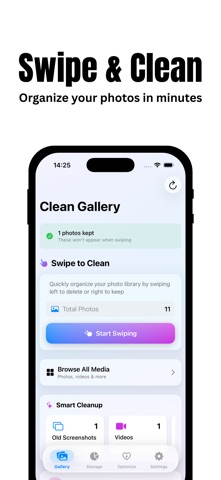
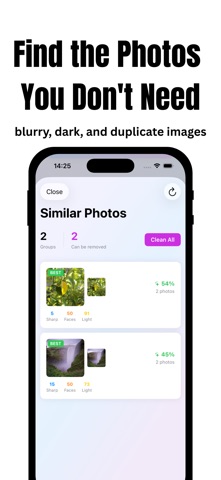
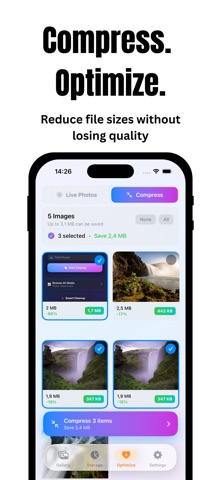
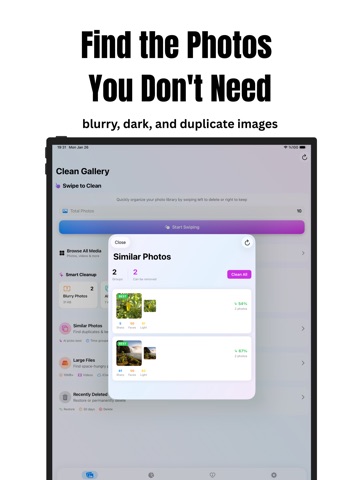
Is your iPhone out of space? Clean Gallery is the privacy-first organizer that helps you declutter photos, videos, and contacts — find duplicates, compress and trim videos, and reclaim gigabytes, all processed 100% on your device. SWIPE TO ORGANIZE Review photos with a fast, intuitive deck. Swipe right to keep, left to delete, and shake to undo. The quickest way to clean your camera roll — now with on-screen action buttons and full VoiceOver support. SMARTER DETECTION Upgraded on-device intelligence finds more clutter with fewer mistakes: - Blurry and motion-blurred shots (grid-based focus analysis) - Dark and overexposed photos (true histogram analysis) - Screenshots you no longer need - Similar and duplicate images (perceptual matching) VIDEO TOOLKIT Videos are the #1 space hog — now you're in control: - Surface large, old, short, and slo-mo videos - Detect duplicate videos - Trim clips with a slideable selection - Compress with Auto, Resolution, or Bitrate modes — HDR and Dolby Vision preserved - See live savings before you commit CONTACT CLEANUP Tidy your address book in seconds: - Remove empty “ghost” contacts - Merge duplicate numbers and names - Fix incomplete entries Everything stays on your device. MEDIA OPTIMIZER Save space without losing memories: - Convert Live Photos into crisp still images - Compress images intelligently while preserving quality STORAGE DASHBOARD & LIBRARY HEALTH SCORE See exactly what's using space with interactive charts, and get a 0–100 Library Health Score with one-tap actions to improve it. WIDGETS, SIRI & SPOTLIGHT - Home Screen and Lock Screen widgets for storage, streaks, and stats - Quick Actions from the app icon - Siri Shortcuts and Spotlight search to jump straight in STAY MOTIVATED Make cleaning a habit with ranks, daily and weekly challenges, seasonal events, a monthly storage goal, and shareable achievement cards. 100% PRIVATE & OFFLINE Your photos are your business. Everything runs locally using Apple's on-device frameworks. - No cloud uploads - No account required - No data tracking - No ads Download Clean Gallery and start reclaiming your space today!
Latest release
What’s New
Clean Gallery 2.5.5 — smoother, faster, and much easier on your battery. SWIPE CRASH FIXED We fixed a crash that could happen when you tapped Undo quickly while swiping. Undo is now rock solid, no matter how fast you go. UNDO GETS THE NUMBERS RIGHT Taking back a swipe now correctly restores your "space to be freed" total, so the figure you see always matches what you've actually selected. MUCH KINDER TO YOUR BATTERY Background cleanup has been rebuilt from the ground up. It now does a small, sensible amount of work at a time, steps aside when your battery is low, your iPhone is warm, or Low Power Mode is on, and picks up exactly where it left off instead of starting over. The result is far less battery drain and far less wear on your storage. FASTER SCANS EVERYWHERE Large Files, Smart Suggestions and the Storage dashboard now share what they've already measured instead of sizing up your library over and over. Screens that used to keep you waiting open much quicker, and coming back to them is close to instant. THE APP STAYS RESPONSIVE Scrolling, tapping and opening photos no longer stutter while a scan runs in the background. SMOOTHER PROGRESS Progress bars now move steadily from start to finish instead of jumping in big steps. As always, everything happens on your device. No ads, no cloud uploads, no account. Thanks for cleaning with us!
Audience growth
Ratings growth
Baseline captured. Growth appears after the crawler observes a changed rating count.
Momentum comes from crawler snapshots for the tracked storefront. “Viral growth signal” means unusually fast recent rating gains; it is an indicator, not download data.
Price tracking
Price intelligence
First snapshot captured. The trend line starts after the next crawler price observation.
- First observed Aug 4, 2026 · 7:40 PM Free
Screenshots