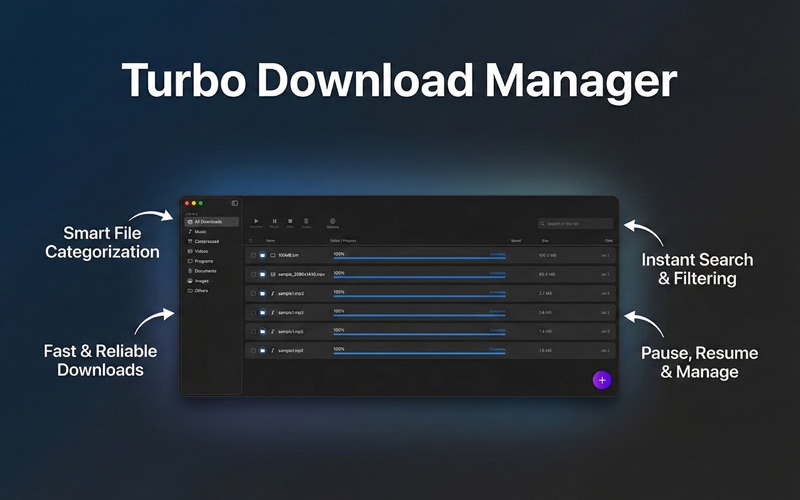
About this app
Take control of your downloads with Turbo Internet Download Manager, the utility tool designed to make file downloading and management seamless, organized, and efficient. Stop digging through a cluttered Downloads folder. Turbo Download Manager automatically categorizes your files as they downloads, gives you detailed real-time progress stats, downloading speed and ensures you never lose a large download to a connection drop again. KEY FEATURES: -Smart Categorization Automatically sorts your downloads into different categories like Music, Videos, Images, Documents, Applications, and Compressed archives. Find exactly what you need, instantly. -Pause & Resume Support:- You might need to pause a download to give priority for other downloads or other network activities. You can prioritize your network bandwidth with the Pause and resume feature of any active downloads. Perfect for large files and unstable connections. -Real-Time Download Speed:- Go beyond the simple progress bar. View precise download speeds (MB/s), estimated time remaining, and file size details at a glance. -Smart Clipboard Detection:- Copy a download link, click the "+" button, and Turbo Download Manager will automatically detect the URL and prepare it for you. No more manual pasting. -Easy Browser Integration Supercharge your workflow with the companion browser extension. Send download links from your browser directly to the app with a single click. WHY UPGRADE FROM YOUR BROWSER? Browsers are great for browsing, but they are poor at file management. Turbo Download Manager offers a dedicated workspace for your files, ensuring that a closed browser window doesn't mean a cancelled download. Privacy Policy:- https://edusoft.co.nz/tdm-privacy-policy/ Terms of Use:- https://www.apple.com/legal/internet-services/itunes/dev/stdeula
Audience growth
Ratings growth
Baseline captured. Growth appears after the crawler observes a changed rating count.
Momentum comes from crawler snapshots for the tracked storefront. “Viral growth signal” means unusually fast recent rating gains; it is an indicator, not download data.
Price tracking
Price intelligence
First snapshot captured. The trend line starts after the next crawler price observation.
- First observed Aug 8, 2026 · 5:35 PM Free
Screenshots