About this app
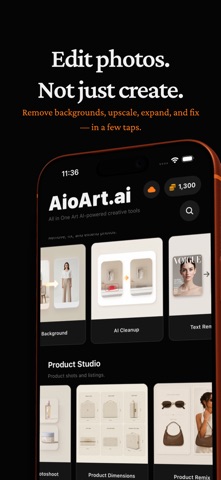
AioArt — Your All-in-One AI Creative Studio Transform photos, ideas, and now video into stunning visuals with 30+ AI-powered tools. Whether you're a creator, professional, or just having fun — AioArt has everything you need in one app. DESIGN STUDIO • Text to Image — Describe anything and watch AI bring it to life in styles like realistic, anime, fantasy, and more. • Image to Image — Upload a reference photo and transform it into something entirely new. • Face Swap — Seamlessly swap faces between two photos with realistic results. • Logo Generator — Create professional logos from scratch. Choose from 10 styles, 15 industries, and 10 color schemes. • Sketch to Image — Turn your hand-drawn sketches into polished, production-ready artwork. AI VIDEO • Image to Video — Animate a still photo into a short AI video clip. • Video Generator — Create clips from a text scene description. • Video to Video — Restyle or refine an existing clip with a prompt. • Video Extend, Enhance, Motion Control, Audio to Video, First & Last Frame, and cleanup tools for objects or backgrounds. VIRTUAL TRY-ON • Hairstyles — See how any hairstyle looks on you before committing. • Hair Color — Apply any exact color to your hair, including custom RGB values. • Makeup — Try full glam, eyes-only, lips-only, or copy a reference look. • Outfits — Virtually try on clothes and see how garments fit your body. • Jewelry — Preview necklaces, earrings, bracelets, rings, and more. • Tattoos — Place tattoo designs on your body with realistic rendering. • Pose Transfer — Copy the pose from one photo to another. • Lighting Transfer — Apply the lighting from any reference image to your photo. COUPLE PHOTOS • Create romantic couple photos including wedding, hugging, and kissing scenes. • Try traditional outfits together — Chinese Hanfu, Korean Hanbok, and more. PROFESSIONAL HEADSHOTS • Generate studio-quality headshots in 14 professional styles: Corporate, Executive, Medical, Legal, Real Estate, Tech, Academic, Creative Director, and more. AI AVATARS • Transform your selfie into 18 unique avatar styles: 3D Character, Anime, Chibi, Cyberpunk, Superhero, Pixel Art, Watercolor, Oil Painting, Comic Book, and more. CARTOONIFY • Turn photos into cartoon characters in 8 popular styles: Disney-Pixar, Anime, Studio Ghibli, The Simpsons, Spider-Verse, and more. CARICATURE • Generate fun and expressive caricatures from any photo. IMAGE TO 3D • Transform any photo into a stylized 3D figure. TOUCH UP & CLEANUP • AI Background — Remove, replace, or generate new backgrounds instantly. • AI Cleanup — Paint over unwanted objects and watch them disappear. • Text Remover — Automatically detect and remove text from any image. • AI Expand — Extend your images beyond their original borders. • Image Upscaler — Upscale photos to 2K or 4K resolution. • Photo Restore — Repair and colorize old or damaged photographs. PRODUCT STUDIO • Product Photoshoot — Turn simple product photos into professional studio shots. • Camera Angle — Adjust perspective, zoom, and lens effects on any product image. • Product Dimensions & Remix — Label product size and combine product shots into one scene. BUILT-IN PHOTO EDITOR • Crop, rotate, flip, add text, apply filters, and adjust saturation — all without leaving the app. CLOUD ALBUM • Save your creations to the cloud and access them from anywhere. AioArt uses credits for AI processing. New users receive free credits to get started. Additional credits are available via in-app purchase. Monthly subscriptions automatically renew unless cancelled at least 24 hours before the renewal date. Manage or cancel anytime in your Apple ID settings. Privacy Policy: https://www.aioart.ai/legal/privacy Terms of Use: https://www.aioart.ai/legal/terms Download AioArt today and unlock your creative potential with AI.
Latest release
What’s New
• New AI Video tools — Image to Video, Video Generator, Video to Video, and more • Improved photo library permissions for selecting and saving photos & videos • Bug fixes and stability improvements
Audience growth
Ratings growth
Baseline captured. Growth appears after the crawler observes a changed rating count.
Momentum comes from crawler snapshots for the tracked storefront. “Viral growth signal” means unusually fast recent rating gains; it is an indicator, not download data.
Price tracking
Price intelligence
First snapshot captured. The trend line starts after the next crawler price observation.
- First observed Aug 21, 2026 · 1:52 AM Free
Screenshots