About this app
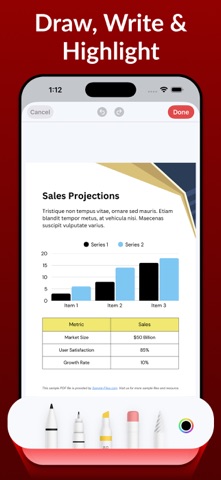
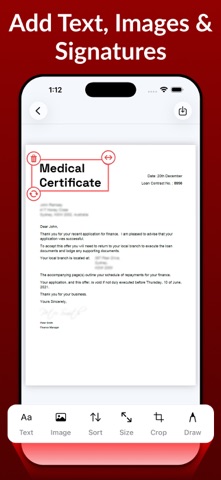
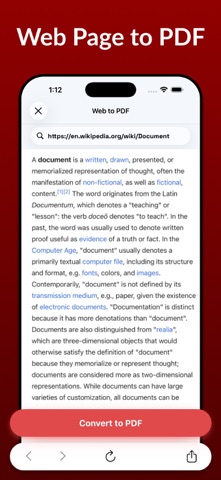
Create professional PDFs, edit documents, scan files, and extract text anytime with a powerful yet easy-to-use PDF maker designed for everyday work and productivity. Whether you’re creating PDFs from photos, editing important documents, scanning IDs, using OCR text recognition, or organizing files, this app gives you everything you need to manage PDFs efficiently — all in one place. ## Edit & Customize PDFs • Edit existing PDF files with ease • Add text, images, drawings, and annotations • Resize pages to multiple paper sizes • Crop pages and adjust layout • Change page orientation • Add signatures to PDFs • Apply advanced image filters for better clarity ## Create PDFs Instantly • Convert images to PDF • Create PDFs from text files • Web page to PDF conversion • Smart document scanning • OCR Text Recognition from images & documents • Extract text from scanned documents • ID card scanning with auto-enhancement • Receipt Scanner with PDF export • Scan QR & Barcodes to PDF ## Convert & Export • Convert PDF to JPG • Import existing PDF files • Print PDFs directly from the app ## Organize & Optimize • Merge multiple PDFs into one • Split PDFs into smaller files • Compress PDF files to reduce size • Lock PDFs with password protection • Unlock secured PDFs when permitted ## Secure & Reliable Your documents matter. Keep sensitive files protected with password-secured PDFs and manage everything safely on your device. ## Upgrade to Pro and unlock • Unlimited PDF editing & creation • Advanced scanning, OCR & compression tools • Unlimited file imports & exports • Secure PDF locking & unlocking ## Made for Everyday Use Perfect for students, professionals, business documents, contracts, forms, invoices, study material, scanned paperwork, and OCR text extraction. Create and manage PDFs anytime, anywhere. Start with free features and upgrade anytime to unlock the full PDF experience. ## Subscription Information If you subscribe to a “Pro” plan, payment will be charged to your iTunes account at confirmation of purchase. Any unused portion of a free trial (if offered) will be forfeited when you purchase a subscription. Subscriptions automatically renew unless auto-renew is turned off at least 24 hours before the end of the current period. You can manage subscriptions and turn off auto-renewal in your Account Settings. Cancellations are not allowed during an active subscription period. For support or questions, please contact us at [miraclefifth@gmail.com](mailto:miraclefifth@gmail.com) Privacy Policy – https://pdf-studio-scan-edit-pro.blogspot.com/2026/01/privacy-policy.html Terms of Use – https://pdf-studio-scan-edit-pro.blogspot.com/2026/01/terms-of-use.html EULA – https://pdf-studio-scan-edit-pro.blogspot.com/2026/01/eula.html If you enjoy using this PDF Maker app, please take a moment to rate us and share your feedback — it helps us improve and add more powerful features for you.
Latest release
What’s New
• Bug fixes & performance improvements Thank you for using the app. If you enjoy it or have ideas for improvement, please leave a review — your feedback helps us make it better.
Audience growth
Ratings growth
Baseline captured. Growth appears after the crawler observes a changed rating count.
Momentum comes from crawler snapshots for the tracked storefront. “Viral growth signal” means unusually fast recent rating gains; it is an indicator, not download data.
Price tracking
Price intelligence
- First observed Aug 7, 2026 · 9:15 PM Free
Screenshots