About this app
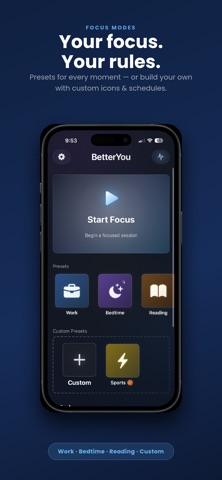
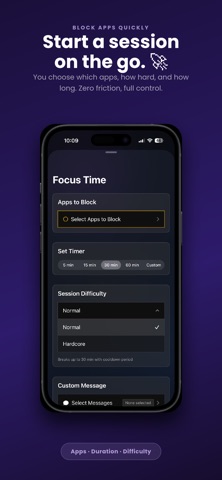
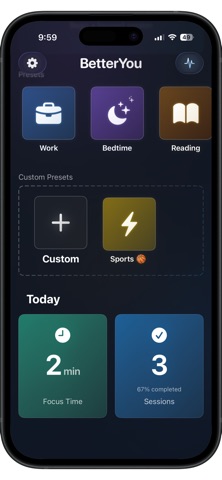
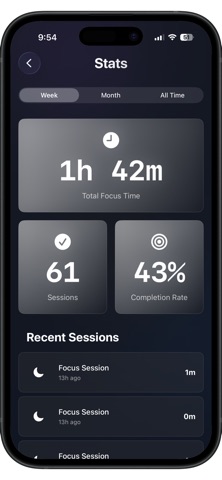
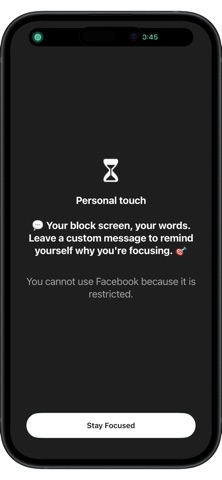
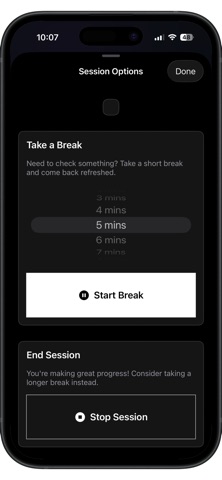
BetterYou helps you stay off distracting apps when it matters. Create focus modes for work, study, sleep, or anything else—each with its own app and category limits using Apple’s Screen Time controls. Start a session in seconds or let your week run on a schedule you define. Features ** Focus modes your way — Built-in presets plus custom modes, icons, and colors. Multiple time windows per mode, reminders, and optional auto-start when a schedule begins. ** Timed sessions — Quick-start timers with presets or custom lengths. See focus time on the Lock Screen and Dynamic Island with Live Activities. ** Two commitment levels — Normal supports breaks (up to 30 minutes) with a cooldown so breaks stay intentional. Hardcore removes breaks and early exit—ideal when you need maximum lock-in. ** Blocking that fits real life — Pick apps and categories per mode, tune exclusions where you need flexibility, and keep essential apps reachable. ** Encouraging shields — When a blocked app opens, a clear, on-brand shield reminds you why you’re focusing—with optional messages you choose for the session. ** See your progress — Charts and totals for week, month, or all time. Focus time reflects real work, not time on break. ** Log what you did — Record productive activities and optional session notes so wins don’t disappear. ** Your data, your devices — Sign in with Apple where enabled, and sync modes, history, and settings across devices with iCloud when available. Privacy / requirements BetterYou uses Screen Time and Family Controls to apply limits you choose. An iCloud account may be used for sync. You stay in control of what gets blocked and when. Terms of Use (EULA): https://www.apple.com/legal/internet-services/itunes/dev/stdeula/
Latest release
What’s New
Bug fixes
Audience growth
Ratings growth
Baseline captured. Growth appears after the crawler observes a changed rating count.
Momentum comes from crawler snapshots for the tracked storefront. “Viral growth signal” means unusually fast recent rating gains; it is an indicator, not download data.
Price tracking
Price intelligence
First snapshot captured. The trend line starts after the next crawler price observation.
- First observed Sep 4, 2026 · 1:48 AM Free
Screenshots