About this app
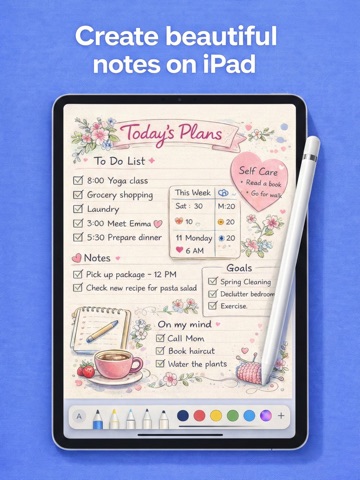
Your perfect digital notebook. Notes for iPad Pencil Planner is a beautifully designed note-taking app that transforms your iPad into an endless paper canvas. Write naturally with Apple Pencil, plan your life with stunning templates, and organize everything in one place. Whether you're a student capturing lectures, a professional planning projects, or a creative sketching ideas — Notes for iPad is the essential tool to capture, organize, and bring your thoughts to life. YOUR ALL-IN-ONE DIGITAL NOTEBOOK • Write, sketch, and draw with realistic Apple Pencil support • Choose from multiple pen styles, colors, and thicknesses • Add typed text with customizable fonts and formatting • Mix handwriting with images and stickers seamlessly 60+ PROFESSIONALLY DESIGNED TEMPLATES • Daily planners and to-do lists to organize your day • Weekly and monthly calendars for long-term planning • Habit trackers to build better routines • Meal planners and grocery lists for healthy eating • Workout logs and fitness trackers to reach your goals • Budget sheets and expense trackers for financial control • Meeting notes and project planning templates • And many more — new templates added regularly STICKERS & PERSONALIZATION • 1000+ beautiful stickers to decorate your notes • Categories: productivity, wellness, celebrations, seasons • Import your own photos and custom stickers • Resize, rotate, and layer elements freely STAY ORGANIZED YOUR WAY • Create unlimited notebooks for different areas of life • Convenient sidebar for quick page navigation • Custom covers and colors for each notebook • Archive completed notebooks to keep things tidy SYNC & SHARE • iCloud sync keeps your notes updated across devices • Export any page or entire notebook as PDF • Share your notes via email, AirDrop, or any app DESIGNED FOR COMFORT • Beautiful dark mode for nighttime note-taking • Clean, distraction-free interface • Optimized specifically for iPad's large display • Smooth, lag-free performance Your ideas deserve a beautiful home. Notes for iPad combines the freedom of paper with the power of digital — giving you the perfect space to plan, create, and organize your life. Support: hello@britetodo.com Terms: https://www.apple.com/legal/internet-services/itunes/dev/stdeula/ A subscription or one-time purchase is required to access premium templates and features. Weekly, Yearly, and Lifetime Access options are available.
Latest release
What’s New
New templates: Daily Schedule, Lesson Planner, Curriculum Tracker, Reading Log, Progress Report, Deep Work Session, Life Dashboard, Guided Reflection, Habit Architect, Brainstorm Canvas.
Audience growth
Ratings growth
Momentum comes from crawler snapshots for the tracked storefront. “Viral growth signal” means unusually fast recent rating gains; it is an indicator, not download data.
Price tracking
Price intelligence
- First observed Aug 10, 2026 · 6:10 AM Free
Screenshots