About this app
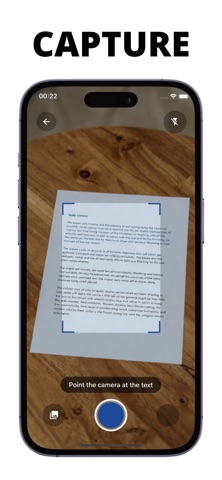
Transform any image into text with Image to Text – Scan & Summary. Our powerful OCR technology extracts text from photos, documents, screenshots, and handwritten notes with remarkable accuracy. Simply point your camera at any text or upload an image, and watch as our advanced AI recognizes and extracts the content in seconds. Perfect for digitizing documents, capturing notes from whiteboards, converting printed materials to digital text, and more. **Key Features:** • **Instant Text Extraction** – High-precision OCR that works with printed text, handwriting, and low-light photos • **AI-Powered Summarization** – Get concise summaries of long documents in seconds • **Multi-Language Translation** – Translate your extracted text into over 50 languages • **AI Chat Assistant** – Ask questions about your documents and get instant, context-aware answers • **Smart Context Understanding** – Our AI understands structure and meaning, not just characters • **Organized Scan History** – Keep all your scans in one place, easily accessible and searchable • **Clean, Intuitive Interface** – Designed for speed and simplicity **Pro Features:** Unlock the full potential with Pro subscription: • **Skip Processing Queue** – Instant processing with no waiting time • **Unlimited Scans** – Scan and extract text as much as you need • **Unlimited AI Chat** – Ask unlimited questions about your documents • **Multiple Translations** – Translate to multiple languages simultaneously • **Priority Processing** – Faster AI responses and processing Whether you're a student digitizing lecture notes, a professional converting documents, or someone breaking language barriers, Image to Text – Scan & Summary gives you the tools you need to work smarter and faster. Download now and experience the future of text extraction. Terms of Use: https://www.apple.com/legal/internet-services/itunes/dev/stdeula
Latest release
What’s New
Bug fixes
Audience growth
Ratings growth
Baseline captured. Growth appears after the crawler observes a changed rating count.
Momentum comes from crawler snapshots for the tracked storefront. “Viral growth signal” means unusually fast recent rating gains; it is an indicator, not download data.
Price tracking
Price intelligence
First snapshot captured. The trend line starts after the next crawler price observation.
- First observed Oct 10, 2026 · 11:24 AM Free
Screenshots