About this app
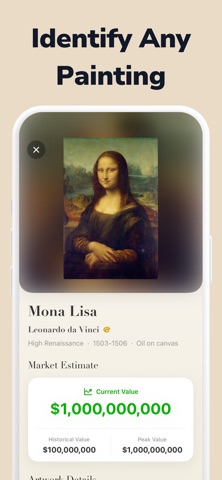
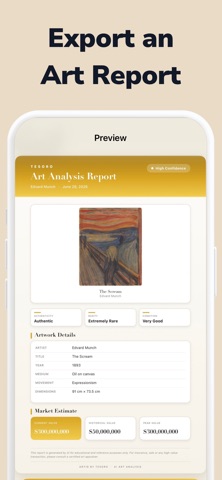
Turn any painting into information you can use—instantly. With Art & Painting Identifier, you can snap a photo and get a quick match, helpful details, price insights, and an Original-or-Fake screening in seconds. What you can do Identify paintings from a photo Get the artwork title, artist, style/period, and key facts when available. Price insights See an estimated price range to understand potential market value (when data is available). Original or Fake? (Screening) Get an AI-based authenticity estimate and “red flag” signals to help you decide what to verify next. Find similar works Compare visually related paintings and discover new artists and styles. Save your collection Bookmark results, organize favorites, and revisit them anytime. Perfect for Museum visits and gallery browsing Collectors and resellers who want quick context Anyone curious about a painting on a wall, in a book, or online How it works Take or upload a photo We analyze the image and return the best match Explore details, price insights, and authenticity signals Save, compare, and share your results Important notes Price insights are estimates and can vary widely depending on provenance, condition, medium, size, and market demand. Original-or-Fake is not certification. It’s a screening tool that highlights signals and potential inconsistencies. For high-value purchases, always consult a qualified expert. Privacy We aim to keep things simple and respectful: your scans are used to deliver results and improve your experience. (See the in-app Privacy section for details.) Download now and start identifying art around you—one photo at a time. Developed by The Lovenhall Registry Terms of Use: https://www.apple.com/legal/internet-services/itunes/dev/stdeula/
Latest release
What’s New
This update improves AI painting identification, artwork details, and price insights. We also made photo scanning smoother, refined the Original-or-Fake screening experience, and fixed bugs to make the app faster and more reliable.
Audience growth
Ratings growth
Baseline captured. Growth appears after the crawler observes a changed rating count.
Momentum comes from crawler snapshots for the tracked storefront. “Viral growth signal” means unusually fast recent rating gains; it is an indicator, not download data.
Price tracking
Price intelligence
- First observed Aug 7, 2026 · 9:36 PM Free
Screenshots