About this app
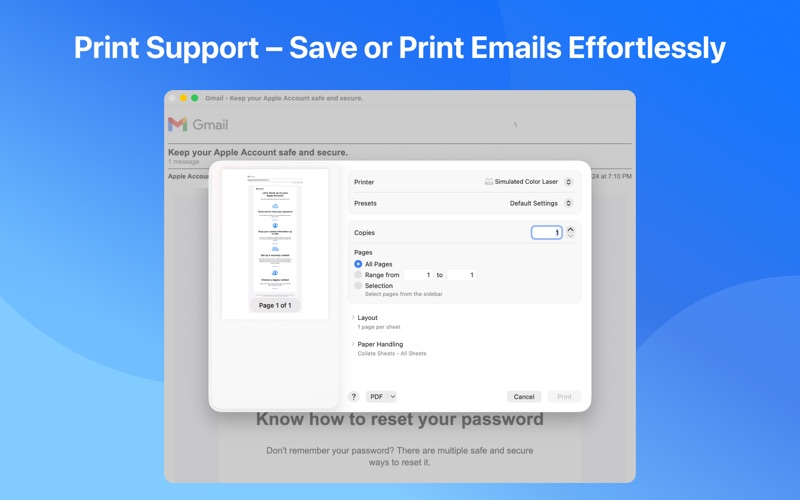
Quick Access for Gmail: Your Gmail, Perfectly Managed Real Email Management — Not Just Another Browser Tab Most people manage Gmail in a cluttered browser. Quick Access for Gmail is different — it provides a professional email management experience designed specifically for macOS. Browse, read, search, organize, and manage your Gmail with the power and efficiency you expect from a native Mac app. Why Choose Quick Access for Gmail? INBOX EXPERIENCE • Native macOS Interface – Built from the ground up for Mac, with a beautiful interface that feels right at home on your desktop. • Smart Category Tabs – Automatically sorted into Primary, Social, Promotions, and Updates for a cleaner inbox. • Rich Email Preview – See sender, subject, preview text, and date at a glance without opening each email. • Full Email Rendering – Read emails with complete formatting, inline images, and attachment support. POWERFUL OPERATIONS • Quick Actions – Mark as read/unread, star, archive, or trash emails in one click. • Batch Operations – Select multiple emails and perform actions on all of them at once. • Complete Email Actions – Compose, reply, forward, report spam, delete forever, and restore from trash. • Move & Categorize – Move emails between labels, folders, and category tabs effortlessly. ORGANIZATION & LABELS • Full Sidebar Navigation – Inbox, Starred, Sent, Drafts, Important, Spam, Trash — all one click away. • Custom Label Management – Create, rename, delete, and color-code labels directly in the app. • Instant Sync – All changes sync to your Gmail account in real time. MULTI-ACCOUNT SUPPORT • Multiple Gmail Accounts – Add all your Google accounts and manage them in one place. • One-Click Switching – Switch between work and personal accounts seamlessly. • Complete Separation – Each account's data is kept entirely separate. SECURITY & PRIVACY • Secure Authentication – OAuth 2.0 via Google's official API. We never store your password. • Privacy First – We never access or store your emails. All operations go directly through Google's official Gmail API. • macOS Keychain – Your credentials are safely stored with industry-standard encryption. Simple to Use 1. Connect Your Account – Sign in with your Google account. 2. Browse Your Inbox – Navigate your emails with the clean sidebar. 3. Manage Effortlessly – Read, organize, search, and act on emails with simple clicks. 4. Stay Organized – Use labels, categories, and search to keep your inbox under control. Perfect For: • Professionals who want a focused email experience without browser distractions. • Anyone managing multiple Gmail accounts. • Users who prefer a native Mac app over web-based email. • People who want fast access to Gmail right from their desktop. Download Quick Access for Gmail today and experience Gmail management the way it should be — fast, organized, and perfectly Mac. DISCLAIMER This is an independent third-party application developed using the official Gmail API. It is not affiliated with, endorsed by, or produced by Google LLC. All trademarks, service marks, logos, and trade names are the property of Google LLC, registered in the U.S. and other regions. The Gmail name, logo, and icon are trademarks of Google LLC. • Privacy Policy: https://www.shieldapps.top/quickaccessforgmail/privacy • Terms of Use: https://www.shieldapps.top/quickaccessforgmail/terms
Latest release
What’s New
In this update, we've optimized new email notifications to make sure you never miss an important message. We're continuously working to improve the app. If you have any questions or feedback, feel free to contact us at shieldapps.feedback@gmail.com. Your feedback helps us improve!
Audience growth
Ratings growth
Baseline captured. Growth appears after the crawler observes a changed rating count.
Momentum comes from crawler snapshots for the tracked storefront. “Viral growth signal” means unusually fast recent rating gains; it is an indicator, not download data.
Price tracking
Price intelligence
First snapshot captured. The trend line starts after the next crawler price observation.
- First observed Aug 19, 2026 · 5:52 AM Free
Screenshots