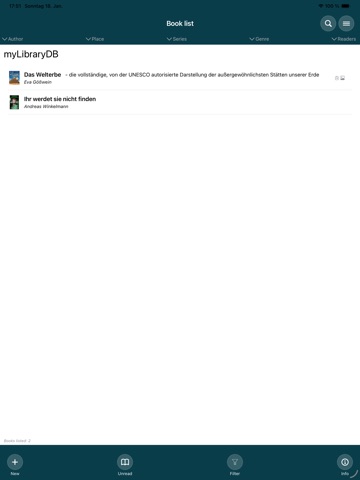
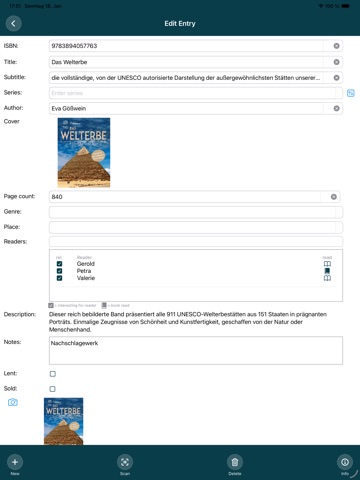
About this app
Manage your books easily, quickly and clearly – whether they are classics, bestsellers or rare finds. With myLibrary, you can always see where your books are, who has already read them or who you have lent them to – and rediscover your collection every time you browse through it. • Enter books: Easily manually or conveniently by scanning the ISBN • Automatic data transfer: Author, title, subtitle, series, genre, number of pages, cover image, blurb – directly from the database • Flexible management: Note where your books are, which people are interested in them, or which books you have already rea • Lending: Keep track of who you've lent books to and when • Intelligent search & filters: Find books with the text search or by freely combining different filters • Individual sorting: Clearly arranged by author, series, genre, location or reader With myLibrary, you can find what you're looking for right away – whether it's: • ‘Where is the book?’ • ‘Which books haven't I read yet?’ • ‘Who did I lend the book to?’ Share your book list with family and friends by saving it to iCloud , your Dropbox, or on a WebDAV-server, where everyone can access it. Manage your collection smarter, faster and stress-free – all in one app.
Latest release
What’s New
Storing data on your own SFTP server
Audience growth
Ratings growth
Baseline captured. Growth appears after the crawler observes a changed rating count.
Momentum comes from crawler snapshots for the tracked storefront. “Viral growth signal” means unusually fast recent rating gains; it is an indicator, not download data.
Price tracking
Price intelligence
First snapshot captured. The trend line starts after the next crawler price observation.
- First observed Aug 31, 2026 · 11:43 PM Free
Screenshots