About this app
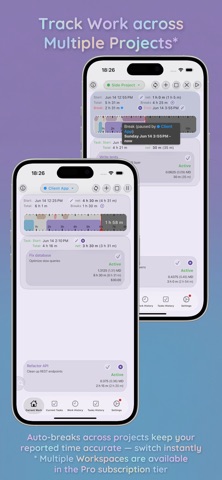
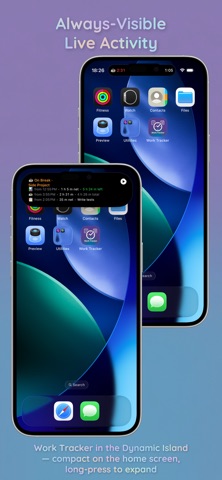
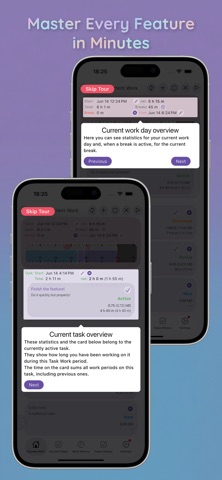
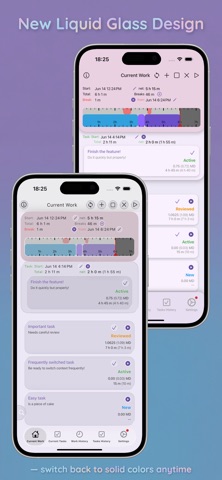
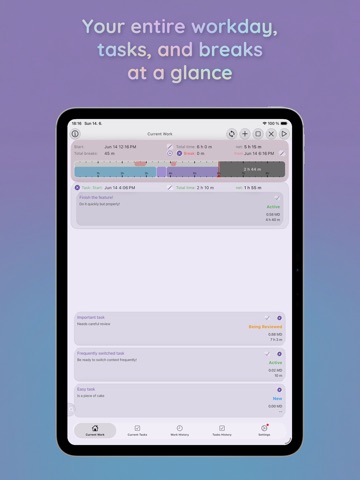
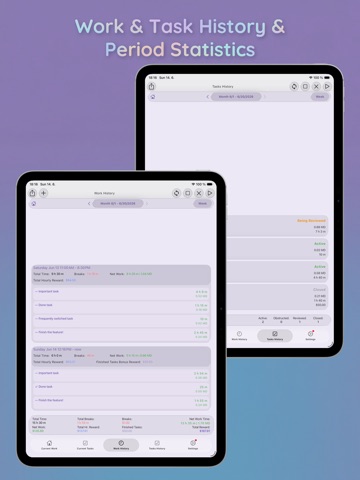
Work Tracker by VP Utils is your comprehensive time-tracking solution. Whether you are a freelancer billing hourly, an HR manager tracking attendance, or a developer managing agile sprints, we handle the numbers so you can focus on work. Take control of your hours, simplify reporting, and never struggle with timesheet math again. WHY WORK TRACKER? NO MORE CONTEXT SWITCHING • Seamless Switching: Switch active tasks with a single tap. The app handles background timer logic so you never lose a second. • DevOps States: Assign New, Active, Obstructed, Review, and Closed. View the chronological history of state changes — perfect for agile teams. NO MORE MANUAL MATH • Man-Day Calculator: Automatically convert hours into Man-Day fractions (MD). • Configurable Work Days: Set your standard hours (e.g., 8h, 7.5h) to match company rules. • Customizable Rounding: Precisely round reported hours and MD fractions to your required granularity (i.e. 30 minutes or 0.125 MD). • Dual-Level Tracking: Track Daily Level (attendance) and Task Level (project allocation) simultaneously. STAY ON TRACK • Always-On Tracking: Features stunning Live Activities and Dynamic Island support so you can view your current work state at a glance without opening the app. • Deadlines & Goals: Receive proactive alerts for upcoming task due dates, plus a notification the moment you hit your expected daily work hours. VISUAL TIMELINE & STATS • Interactive Graph: View and tap any task or break interval to edit start/end times down to the minute. • Deep History: Browse weekly/monthly summaries and instantly distinguish Gross vs. Net work time. • Rewards & Breaks: Mark breaks as Paid/Unpaid and track time-based or fixed-price rewards. LIQUID GLASS DESIGN & UX Experience our sleek new Liquid Glass UI, or switch to the classic Solid Color layout anytime. Includes guided onboarding and full Dark Mode support. PREMIUM & PRO FEATURES Take tracking to the next level (14-day free trial available): PREMIUM TIER: • Ad-Free Experience: Remove all ads. • Data Export: Export logs to XLSX and CSV for easy invoicing. • Desktop Apps: Access Work Tracker natively on macOS and other desktop platforms. PRO TIER (Includes Premium): • Cloud Sync & Backup: Safely back up logs. Start tracking on your iPhone, finish on your Mac or any other platform (all mobile and desktop platforms are supported)! And your transfered data are encrypted using RSA-2048 military grade encryption. • Multiple Workspaces (Spaces): Manage distinct projects. Includes a disableable auto-break system that pauses active tasks in other Spaces, preventing accidentally reported simultaneous work. • Web App Data Sync: Manage tracked data from any browser. PERFECT FOR: Freelancers, Developers, Remote Workers, and Managers who need to allocate resources effectively. Download Work Tracker today and make reporting effortless!
Latest release
What’s New
- **UI Responsiveness:** Enforced "data values never wrap or fade" and dynamically grow layout size to prevent data-value truncation (especially for time values). - **UI Fixes:** Fixed various layout overflow issues across `WorkDayCard`, `TaskWorkCard`, and task history views. - **Bug Fixes:** Resolved edge cases and long-standing issues in bound auto-break deletion and subscription downgrade flows. - **Paid-feature paywalls:** Dismissing the "this is a premium feature" dialog now takes signed-out users to the subscription comparison page too (previously only signed-in users were routed there). - **Subscriptions without an account:** The subscription comparison page can now be opened while signed out. It shows every tier with its prices and features, marks the purchase buttons as "Not logged in", and offers Login / Register at the top — so a paywall message no longer dead-ends without ever showing what a subscription buys. - **Settings — signed out:** The account section now also shows the current (Free) plan with a Subscriptions button, Cloud Backup, Spaces and — on desktop — the MCP server section. Their actions open the corresponding paywall instead of the sections being hidden; Pro-only controls (auto-break on Space switch, MCP auto-start) are shown disabled and marked "(Pro)". - **Locked-control labels:** Cloud Backup's Create / Restore buttons now carry the same "(Pro)" marker as Spaces and the MCP server, and all of those markers are derived from the tier definitions so they cannot drift when a capability moves between tiers. - **Sync button:** The synchronization button in the top app bar is now always visible; tapping it while signed out or without the sync capability explains the feature and opens the subscription comparison. - **Disabled inputs:** A disabled captioned text field (e.g. the MCP port while the feature is locked) is now visibly dimmed in the non-Liquid-Glass design instead of looking editable.
Audience growth
Ratings growth
Baseline captured. Growth appears after the crawler observes a changed rating count.
Momentum comes from crawler snapshots for the tracked storefront. “Viral growth signal” means unusually fast recent rating gains; it is an indicator, not download data.
Price tracking
Price intelligence
First snapshot captured. The trend line starts after the next crawler price observation.
- First observed Sep 4, 2026 · 1:44 AM Free
Screenshots