About this app
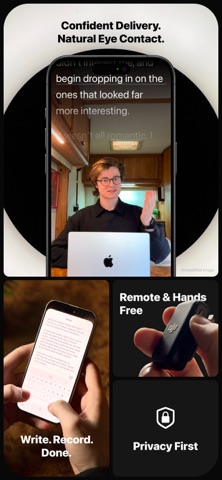
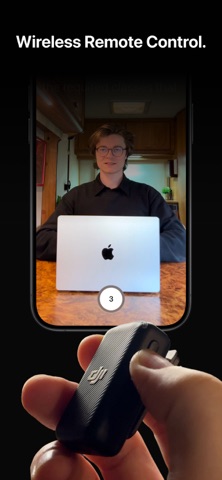
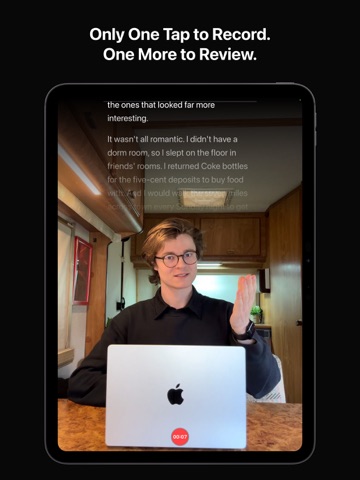
Your script. Your camera. One tap to record. Video Skript is the leanest video teleprompter — designed to help you record videos with confidence. No complicated menus, no unnecessary features. Just your words scrolling over the camera so you can focus on delivering your message. WHAT MAKES VIDEO SKRIPT DIFFERENT Most teleprompter apps overwhelm you with features you don't need. Video Skript takes a different approach: basic, simple, effective. A clean, minimal interface that gets out of your way so you can be your best on camera. The text appears as close to the camera as possible, reducing eye movement so you maintain natural eye contact with your audience. HOW IT WORKS - Write or paste your scripts and keep them all in one place - Adjust scroll speed and font size with live preview - Press record — your script scrolls as a cue overlay on camera - Your video saves directly to Photos — ready to edit in your favorite app FEATURES - Adaptive scroll speed — automatically matches the teleprompter to your real speaking pace - Script overlay positioned near camera — natural eye contact - Mirror video — flip your recording for a more natural experience - Adjustable background blur — optional professional depth effect - Adjustable scroll speed with live preview — find your perfect pace - Customizable font size — readable at any distance - Countdown timer — 3, 5, or 10 seconds to prepare - 1080p or 4K recording - 30 or 60 FPS - Volume button control — hands free recording with 3rd party hardware support like DJI Mic - Script library — keep multiple scripts, switch between them, and pick up where you left off - Minimal interface — nothing between you and the camera - Copy and paste your scripts with ease PERFECT FOR - Content creators recording for YouTube, Instagram, TikTok, and Reels - Professionals filming presentations, pitches, and demos - Speakers delivering speeches and sermons - Broadcasters who want to look confident on camera SUBSCRIPTION - 14-day free trial — try everything risk-free - Annual subscription after trial - Cancel anytime End User License Agreement: https://heuser.design/videoskript/terms Privacy Policy: https://heuser.design/videoskript/privacy
Latest release
What’s New
New Features: - Your subscription now has its own place in Settings. See whether it is active and when it renews or expires, and manage or cancel it in one tap. Improvements: - Adaptive scrolling stays on your pace through breaths and pauses, and it now holds up in noisy places like cafes or busy streets. - Switching between the front and back camera is more than twice as fast, and the short transition no longer goes black. - The scroll speed now runs from 90 to 210 words per minute, with finer steps around a natural speaking pace (shoutout to XuperFit). - Hold to pause now works more reliably. Bug Fixes: - Fixed a crash during recording that could happen after switching cameras and cost you the whole take. - Recordings keep their full length and stay in sync, even when you switch cameras again and again. Thank you to everyone who shares feedback and ideas. If you have a suggestion or request, please feel free to email me at leo@heuser.design.
Audience growth
Ratings growth
Baseline captured. Growth appears after the crawler observes a changed rating count.
Momentum comes from crawler snapshots for the tracked storefront. “Viral growth signal” means unusually fast recent rating gains; it is an indicator, not download data.
Price tracking
Price intelligence
First snapshot captured. The trend line starts after the next crawler price observation.
- First observed Sep 1, 2026 · 1:54 PM Free
Screenshots