About this app
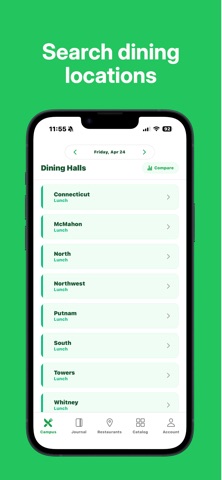
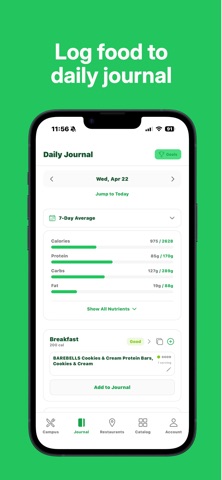
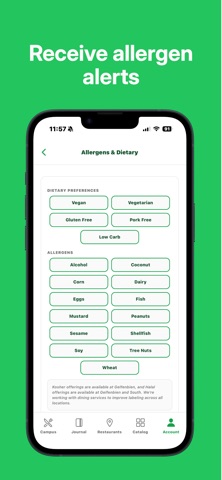
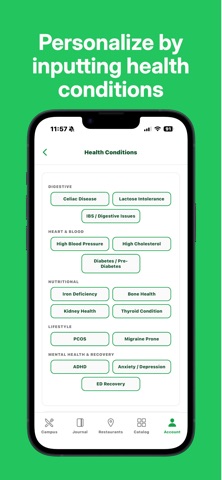
Swipe is the smartest way to eat well at UConn dining. Browse every dining hall menu, see a clear 0–99 health score for each item, and track your nutrition without the guesswork. Whether you're managing allergens, hitting a protein goal, or just trying to eat better, Swipe shows you what's actually good for you before you fill your plate. WHAT YOU CAN DO - See health scores at a glance — Every food gets a 0–99 score based on protein, fiber, sodium, sugar, and more, so you can compare options instantly. - Filter for your needs — Set your allergens and dietary preferences once. Swipe flags conflicts and personalizes every score to you. - Browse all dining halls and retail — Northwest, Putnam, South, McMahon, North, Towers, Whitney, Connecticut, plus campus retail spots. Live open/closed hours included. - Track your nutrition — Log meals to your food journal and watch your daily protein, calories, and macros add up toward your goals. - Build custom meals — Combine dining hall items, packaged foods, or your own entries to see the full nutrition and health score of a complete meal. - Search a full food catalog — Look up UConn items and common packaged foods, or scan a barcode for instant nutrition info. - Compare dining halls — See which hall has the best options for your goals right now. Built by a UConn student, for UConn students. Free to use.
Latest release
What’s New
- Saved Meals — Build a meal from dining hall items, packaged foods, or your own entries and save it to reuse anytime. - Cleaner nutrition breakdowns — Redesigned the nutrition detail view so it's easier to read at a glance. - More notification controls — Finer-grained preferences for what you get notified about and when. - More accurate dining hours — Reworked open/closed logic so hall status reflects real schedules more reliably. - Privacy — Added an analytics opt-out toggle in Settings. - Sharper health scores — Refinements to the scoring algorithm for more consistent results. - Performance and stability improvements throughout.
Audience growth
Ratings growth
Baseline captured. Growth appears after the crawler observes a changed rating count.
Momentum comes from crawler snapshots for the tracked storefront. “Viral growth signal” means unusually fast recent rating gains; it is an indicator, not download data.
Price tracking
Price intelligence
First snapshot captured. The trend line starts after the next crawler price observation.
- First observed Aug 19, 2026 · 5:39 PM Free
Screenshots