About this app
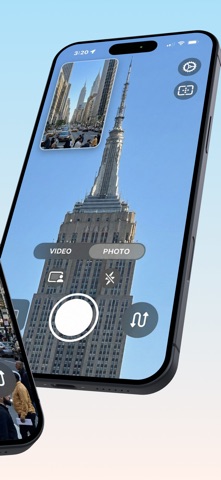
See both sides of the moment. Bicameral records your front and back cameras at the same time — your reaction and your view — composited into a single photo or video, processed on your device. Vlogging, reacting, teaching, or just capturing life from both sides: Bicameral combines two perspectives into one shot, with the controls to make it look exactly how you want. ONE MOMENT, TWO CAMERAS • Capture front and back simultaneously — composited live into a single file • Switch between Video and Photo modes with one tap • GPU-accelerated compositing on-device, with a fallback so capture never fails THREE COMPOSITION LAYOUTS • Picture-in-Picture — one camera as an inset over the other • Vertical Split — both cameras side by side • Horizontal Split — both cameras stacked • Pick your layout on the camera screen; swap the main view with one tap MAKE THE PICTURE-IN-PICTURE YOURS (Pro) • Shape the inset as a rounded rectangle or circle, with five corner-rounding levels • Add a colored border (four widths, nine colors) and a drop shadow • Drag the inset to any corner and size it • Mirror the selfie camera like a true mirror PRO-GRADE VIDEO (Pro) • Record in true 4K Ultra HD on 4K-capable devices — a real 4K source, not upscaled • Choose your frame rate: 24, 30, or 60 fps (60 fps at 1080p) • Three encoding bitrate tiers up to 40 Mbps • Save each camera as its own full-resolution file alongside the composite CENTER STAGE (Pro) • Keep yourself centered on the selfie camera as you move — Center Stage, now built into dual-camera recording • Works in any layout for video and photos; available on supported models — turn it on in Settings PHOTO MODE • Composite stills from both cameras in any layout • Grab a still mid-recording without stopping the take • Save as HEIF or JPEG, with rich metadata and optional GPS geotagging (opt-in) CONTROLS THAT GET OUT OF THE WAY • Tap to set focus and exposure; long-press to lock AE/AF, then fine-tune with an EV slider (Pro) • Composition guides — Rule of Thirds, Center Cross, Diagonal — and a motion-driven horizon level (Pro) • Pinch to zoom up to 10x, rear LED torch/flash, and a 3/5/10-second self-timer • Choose the lens for each slot from a live-preview picker — Wide and Selfie for everyone; Ultra-Wide and Telephoto with Pro • Live recording timer, pause and resume within a take, and orientation lock • A live audio level meter with peak-hold and clipping indicator (Pro) BUILT TO KEEP ROLLING • Adapts quality automatically when your device heats up, then restores it as it cools • Stops and saves your take cleanly when a call interrupts • Recovers playable clips after an unexpected quit • Shows real time-remaining from storage YOURS, EVERYWHERE • Save to Photos, to Files, or choose each time • Sync your settings across devices with iCloud • Designed for iPhone and iPad, portrait and landscape • Localized in English, Spanish, French, German, Japanese, Brazilian Portuguese, and Simplified Chinese • Deep VoiceOver support, Reduce Transparency / Reduce Motion adaptations, and Dynamic Type PRIVACY-FIRST All processing happens on your device. No tracking, no third-party analytics, and a privacy manifest declaring no collected data. Optional diagnostics are off by default. BICAMERAL PRO Unlock everything with a single Pro subscription: 4K, frame-rate and bitrate control, separate-camera files, full Picture-in-Picture customization, selfie mirroring, Center Stage framing, Ultra-Wide and Telephoto lenses, focus and exposure controls, framing guides, the audio meter, and watermark removal with custom text. Restore Purchases anytime. Simultaneous front+back capture requires a multi-cam–capable iPhone or iPad; on other devices Bicameral records a single camera. The free tier records at 1080p with a Bicameral watermark; 4K, Center Stage, and advanced features require Pro and compatible hardware.
Latest release
What’s New
Picture-in-picture is now smoothly filtered in recordings, so saved videos and photos match the live preview. Also improves the horizon level, tap-to-focus accuracy in split layouts, and VoiceOver support — plus reliability fixes for recording, saving, and crash recovery.
Audience growth
Ratings growth
Baseline captured. Growth appears after the crawler observes a changed rating count.
Momentum comes from crawler snapshots for the tracked storefront. “Viral growth signal” means unusually fast recent rating gains; it is an indicator, not download data.
Price tracking
Price intelligence
First snapshot captured. The trend line starts after the next crawler price observation.
- First observed Aug 17, 2026 · 7:59 PM Free
Screenshots