About this app
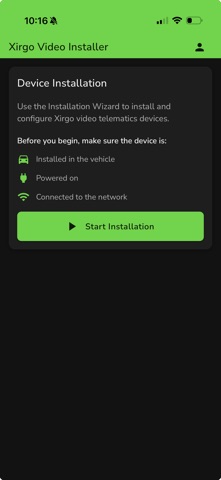
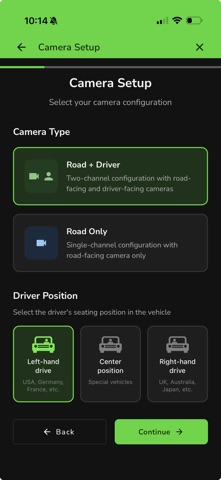
Xirgo Video Installer is the all-in-one field tool for technicians installing and configuring Xirgo video dashcams. Follow a guided, step-by-step flow to set up each device correctly the first time - no guesswork, no callbacks. Scan a device, follow the mounting and wiring guidance for that exact model, configure its cameras, capture the vehicle details, and confirm everything works with live camera previews so each installation is fully completed and verified on site. KEY FEATURES - Guided installation wizard: a step-by-step flow that walks you through every stage of a dashcam install so nothing gets missed. - Fast barcode scanning: scan the device IMEI and vehicle VIN barcodes with your camera to eliminate manual entry and typos. - Device-specific setup: mounting instructions, cable type, and options adapt automatically to the model you scanned. - Camera configuration: choose road-only or road and driver camera modes to match the install. - Live camera previews: view road and driver snapshots on screen, with built-in aiming guides to fine-tune each lens and confirm the final result. - ADAS calibration: enter vehicle type and measurements so advanced driver-assistance features are calibrated accurately. - Vehicle information capture: record vehicle and installation details for clean, complete records. - Secure sign-in: protected access for authorized installers. Built for field technicians and fleet installers, Xirgo Video Installer turns a complex hardware setup into a clear, repeatable process — so every installation is done right and completed in full. This app is intended for authorized Xirgo installation partners and technicians.
Latest release
What’s New
Bug fixes and improvements
Audience growth
Ratings growth
Baseline captured. Growth appears after the crawler observes a changed rating count.
Momentum comes from crawler snapshots for the tracked storefront. “Viral growth signal” means unusually fast recent rating gains; it is an indicator, not download data.
Price tracking
Price intelligence
First snapshot captured. The trend line starts after the next crawler price observation.
- First observed Aug 14, 2026 · 4:20 PM Free
Screenshots