About this app
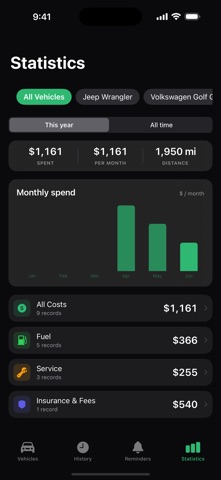
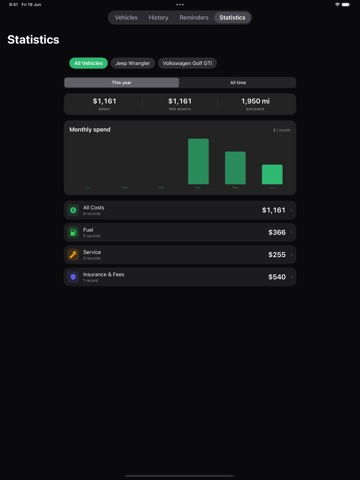
A simple, private logbook for your car. Open the app, add your car, and start logging. Every fill-up, oil change, repair, and expense becomes a clean, searchable history — and it stays on your device. No account, no cloud required. ONE SIMPLE LOG Record fuel, service, repairs, and expenses in seconds. Add the odometer reading, a few details, and photos. Itemize a receipt into line items when you want to. One list for your vehicle's whole story. SMART REMINDERS Oil change every 5,000 miles. Insurance every year. Odometer tracks your mileage and reminds you before service is due — by date, by distance, or both. Reminders are the heart of the app, and they're free. STATISTICS See your fuel efficiency, spending over time, and cost by category. Understand what your vehicle actually costs to own. Every chart is free. PRIVATE BY DEFAULT Your records live on your device. No sign-up to start, no ads, and we never sell your data. Turn on cloud backup only if you want it. CHOOSE YOUR PLAN Free — one vehicle, the full logbook, reminders, statistics, up to three photos of your car, and spreadsheet (CSV) export of your records. No account, yours forever. Lifetime (one-time purchase) — unlimited vehicles, attach receipts and documents on your device, and export your full service history as a polished PDF report. Pay once. Premium (monthly or yearly) — everything in Lifetime, plus cloud backup across your devices and AI receipt scanning: snap a photo and let Odometer read the date, mileage, and cost for you. Odometer. Log it. Remember it. Own your car's history. Terms of Use: https://odometerapp.com/terms Privacy Policy: https://odometerapp.com/privacypolicy
Latest release
What’s New
Odometer speaks up before things are due, instead of waiting for you to open it. - New: distance reminders now send notifications. Odometer works out when you'll reach the reading from how far you have actually been driving, and tells you around 500 km or miles before you get there - New: every reminder follows up — on the day it's due, then a day later, two days later and a week later, so one missed notification isn't the end of it - New: a warning two days before a free trial ends, and again on the morning it ends, saying what happens next - New: a short welcome on first launch — what the app does for you, then straight into adding your car - New: two quiet nudges in your first week, one to log your first record and one to set your first reminder - New: swipe a reminder to delete it, the way the rest of the app's lists already work - Settings now has one notification switch, Essential Notifications, and turning it off clears what's already queued - Nothing arrives in the middle of the night: anything landing between 22:00 and 08:00 now moves to 09:00, reminders included - Tapping a reminder notification opens that reminder instead of the list - The empty Vehicles, History and Statistics screens say what you get from filling them Also fixed: - Distance reminders saved without a "notify me before" option were never scheduled at all - Completing a repeating distance reminder created the next one but never scheduled it - A reminder's colour and its progress bar could disagree about how urgent it was - A round of readability and layout work: form fields keep their labels once filled in, green text and icons are legible in light mode, buttons and vehicle rows hold together at large text sizes, the Vehicles title no longer scrolls across the status card, and Quick Capture's controls are big enough to hit - The odometer check-in is weekly now rather than every five days
Audience growth
Ratings growth
Baseline captured. Growth appears after the crawler observes a changed rating count.
Momentum comes from crawler snapshots for the tracked storefront. “Viral growth signal” means unusually fast recent rating gains; it is an indicator, not download data.
Price tracking
Price intelligence
First snapshot captured. The trend line starts after the next crawler price observation.
- First observed Sep 4, 2026 · 5:57 AM Free
Screenshots