About this app
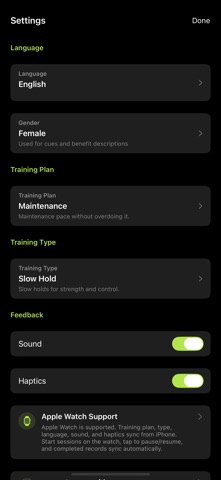
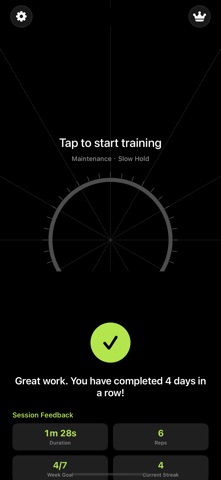
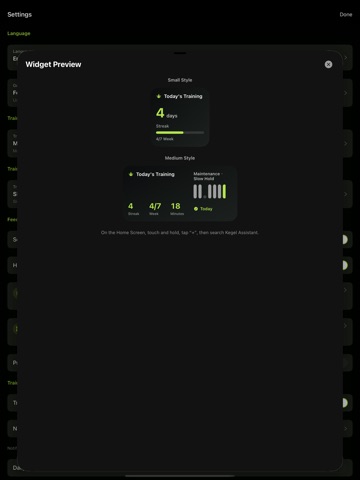
Kegel Assistant helps you build a calm, consistent pelvic floor training habit with guided Kegel sessions, clear timing, private reminders, and progress records. Each session guides you through contract, hold, release, and rest phases with a focused ring animation, countdown, optional sound, and haptic feedback. Start with Beginner, Standard, Advanced, or Maintenance plans, then choose training styles such as Quick Squeeze, Slow Hold, Endurance, or Relaxation based on your routine. Key features: - First-launch gender selection to tailor cues and benefit explanations - Multiple plans and training types for different pacing needs - Training screen with ring animation, countdown, and an overall progress bar - Pause, resume, and end controls for interrupted sessions - Completion summary with duration, reps, weekly goal, streak, completion rate, and next suggestion - Victory sound and confetti feedback after finishing a session - Calendar records, current streak, weekly goal, and total training minutes - Daily reminders and notification permission guidance - Private training mode for quiet or discreet moments - Home Screen widget support for quick status checks and easy return to the app - Apple Watch support preview, with plans, language, sound, and haptics syncing from iPhone - Localized interface and app name for Simplified Chinese, Traditional Chinese, English, Japanese, Korean, and Spanish Kegel Assistant is designed for people who want a simple way to practice pelvic floor exercises, track consistency, and receive gentle reminders. The app is for general wellness and habit tracking. It does not provide medical diagnosis or treatment. If you are pregnant or postpartum, recovering from surgery, experiencing pain or discomfort, or have urinary, prostate, pelvic, or other health concerns, consult a qualified healthcare professional first.
Latest release
What’s New
- Improved onboarding: gender and training goal cards now respond when tapping anywhere on the card. - Training goals are now better matched to the selected gender. - Fixed an issue where female users could see or default to the “Male Pelvic Health” goal. - Fixed inconsistent tap areas on some selection cards. - Improved interaction reliability for tappable cards in Settings.
Audience growth
Ratings growth
Baseline captured. Growth appears after the crawler observes a changed rating count.
Momentum comes from crawler snapshots for the tracked storefront. “Viral growth signal” means unusually fast recent rating gains; it is an indicator, not download data.
Price tracking
Price intelligence
First snapshot captured. The trend line starts after the next crawler price observation.
- First observed Aug 15, 2026 · 7:53 AM Free
Screenshots