About this app
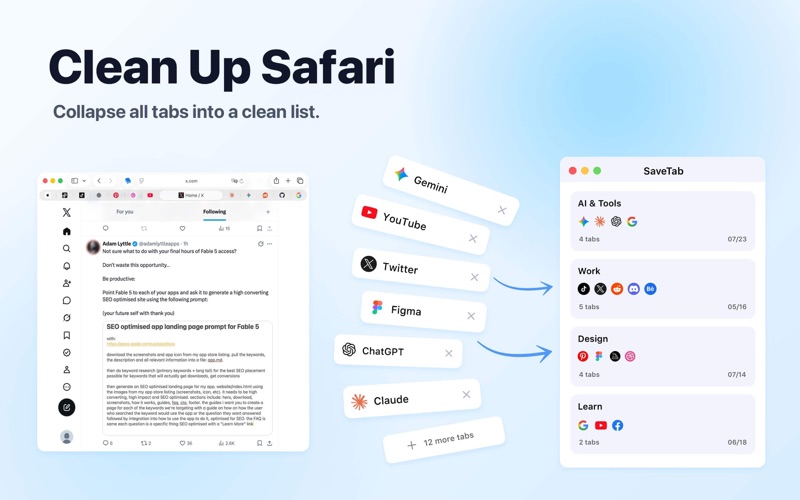
Is your Safari browser cluttered with too many open tabs? Is it becoming difficult to find the page you need? SaveTab helps you declutter your browser, save memory, and boost your productivity by converting all your open tabs into a clean, organized list. With a single click, you can save your browsing session for later. When you need your tabs again, you can restore them individually or all at once. Key Features: - One-Click Cleanup Instantly save all open tabs into a group. Clear your workspace and focus on your current task without losing important links. - Improve Performance By reducing the number of active tabs, SaveTab helps reduce Safari's memory usage and can improve battery life on portable devices. - Smart Organization Save your current tab to an existing group or start a new one. Sort your groups by Name, Time, or Tab Count to keep everything organized. - Drag and Drop Easily reorder your tab groups. Keep your most important projects at the top of the list for quick access. - Global Search Quickly find any saved tab across all your groups using the built-in search function. Search by page title or URL. - Dark Mode Support Designed to look great on macOS, with full support for both Light and Dark appearance modes. Privacy Policy: We respect your privacy. All your data is stored locally on your device. SaveTab does not collect, store, transmit, or share any of your personal information, browsing history, or tab data. Privacy Policy: https://decisive-store-bd5.notion.site/Privacy-Policy-2f9e1846c58e80a7adc9e141a453eac2 Terms of Use: https://decisive-store-bd5.notion.site/Terms-Conditions-2f9e1846c58e80728a98fb794ac8e670
Latest release
What’s New
- Fixed some bugs and improved performance
Audience growth
Ratings growth
Baseline captured. Growth appears after the crawler observes a changed rating count.
Momentum comes from crawler snapshots for the tracked storefront. “Viral growth signal” means unusually fast recent rating gains; it is an indicator, not download data.
Price tracking
Price intelligence
- First observed Aug 8, 2026 · 2:10 PM Free
Screenshots