About this app
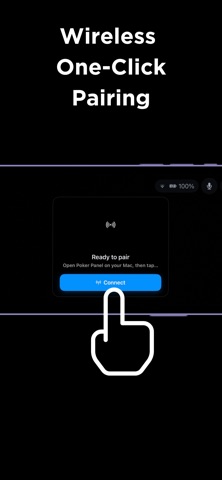
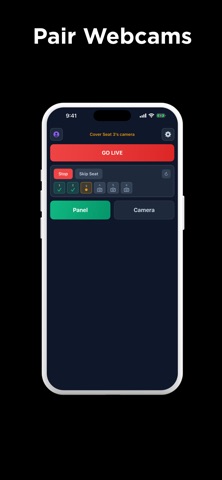
Transform your iPhone into a high-quality, ultra-low latency wireless camera for the Poker Panel macOS broadcasting suite. Designed specifically for live poker streams, the Poker Panel iOS app connects seamlessly to your Mac, allowing you to use your iPhone's advanced camera system as a dedicated card cam, face cam, or overhead cam. Key Features: - Seamless Integration: Automatically connects to Poker Panel on your local network. No complex IP configurations needed. - Ultra-Low Latency: Engineered for live broadcasting, ensuring your video feeds stay perfectly in sync with the action. - High-Quality Video: Leverage your iPhone's superior optics for crystal-clear table streams. - Multi-Cam Support: Connect multiple iPhones simultaneously to capture every angle of your game. - Plug & Play: Just open the app, point the camera, and launch Poker Panel macOS app. *Note: This app is a companion tool. It requires the Poker Panel macOS application to receive and manage the camera feeds.*
Latest release
What’s New
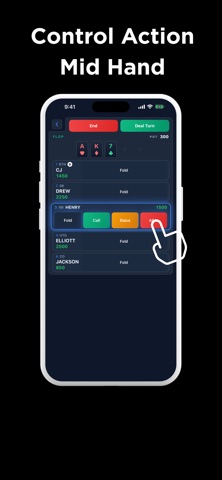
Camera and zoom, rebuilt. • Zoom is a pill you can feel, not a slider to fight. Detents click into place, the glide is smooth all the way to 10x, and a haptic fires only where the optics actually change lenses. • The zoom readout now reports the lens in use and the true sensor reach, so what you see is what you're filming. • Switching lenses re-focuses instead of holding a soft frame. • Autofocus aims at the players rather than the middle of the felt. • Video stabilization is on by default. • Every camera now behaves the same way — the card camera no longer has its own rules. Panel • Pick your broadcast language from the phone. • Tap any day on the stats calendar to see that night's hands. • Clearing stats can now cover the last 14 or 30 days, not just the recent window. • Rake for Card Room rooms: set the pot percentage, cap, minimum pot, time charge and button drop from Settings, and read the session take, per-player breakdown, ledger and CSV export in one place. Also: fully translated into nine languages, more reliable log uploads when a camera opens, and fixes from a capture and reliability audit.
Audience growth
Ratings growth
Baseline captured. Growth appears after the crawler observes a changed rating count.
Momentum comes from crawler snapshots for the tracked storefront. “Viral growth signal” means unusually fast recent rating gains; it is an indicator, not download data.
Price tracking
Price intelligence
First snapshot captured. The trend line starts after the next crawler price observation.
- First observed Sep 1, 2026 · 2:56 PM Free
Screenshots