About this app
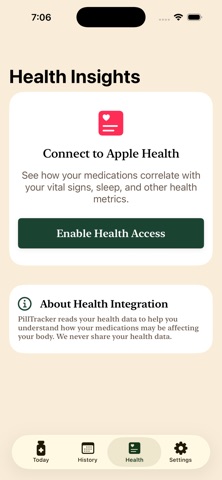
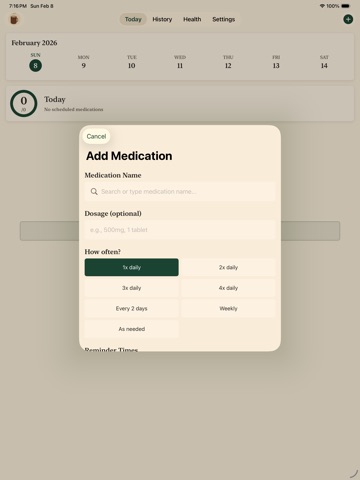
PillTracker helps you take control of your medication schedule with a simple, beautiful interface designed for daily use. Stay on Track Set up your medications once and receive timely reminders throughout the day. Track daily, weekly, or as-needed medications with ease. Each dose is just a tap away. Build Healthy Habits Watch your streak grow as you maintain consistent medication habits. The visual progress tracker shows your daily achievements at a glance, motivating you to stay consistent. Your Health, Your Data View your medication history on the calendar to spot patterns and ensure you never miss a dose. All your data stays private and secure on your device. Apple Watch Support Check your progress and log doses directly from your wrist. Complications keep your medication status visible on your watch face. Features: - Smart reminders with follow-up notifications - Daily, weekly, and as-needed medication tracking - Visual progress rings and streak tracking - Full medication history and calendar view - Pill inventory tracking with low stock alerts - Apple Watch app with complications - Dark mode support - Fully localized Simple. Private. Effective.
Latest release
What’s New
Drug interaction warnings See potential interactions between your medications, sourced from FDA-approved drug labels. A banner appears on the home screen when interactions are detected; tap any card to read the actual FDA wording, with severity badges (contraindicated / interaction / mention). Tap to preview a medication Tap any medication card on the home screen to open a quick preview with everything in one place: schedule, inventory and refill alerts, course progress, notes, and last-dose info. Edit, Delete, and Take Now are right there too. Take from the lock screen and home screen widget Live Activities and home screen widgets now have a working Take button — record a dose without opening the app. The Live Activity flips to "Taken" and dismisses on its own. Smarter Live Activities The next-dose Live Activity now appears overnight even if you don't open the app, so your morning reminder is already on the lock screen when you wake up. Bigger calendar range The home week strip and the History calendar now scroll back 12 months and forward 12 months. Use the chevrons in the week strip to jump weeks; the History view auto-lands on the current month. Bug fixes and performance improvements
Audience growth
Ratings growth
Baseline captured. Growth appears after the crawler observes a changed rating count.
Momentum comes from crawler snapshots for the tracked storefront. “Viral growth signal” means unusually fast recent rating gains; it is an indicator, not download data.
Price tracking
Price intelligence
First snapshot captured. The trend line starts after the next crawler price observation.
- First observed Aug 12, 2026 · 6:56 PM Free
Screenshots