About this app
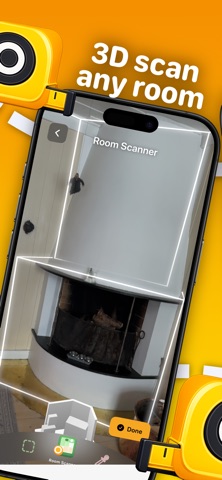
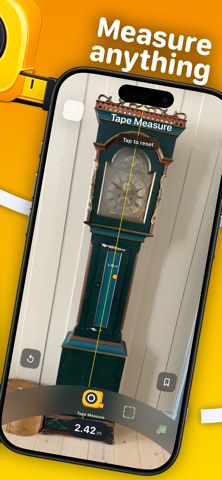
Handy turns your iPhone into a practical measuring toolkit for home projects, DIY and renovation. Use AR to measure distances, check level and angles, scan rooms, save projects and export your results when you need to share them. KEY FEATURES • Tape measure and distance measuring tools • Spirit level / bubble level for shelves, frames and DIY work • Angle and slope measuring tools • Room scanner for floor plans and room measurements • Multi-room scanning for larger spaces • Cleaner 2D floor plans with doors, windows and openings • Area labels and wall dimensions • Export room scans as PNG, measured PDF, DXF and USDZ • Save scans and measurements to projects • QuickLook 3D preview with AR support WHAT'S NEW IN 1.8 Handy 1.8 is a major room scanning and floor plan update. Floor plans are more accurate, L-shaped rooms are handled better, multi-room scans work more reliably, and exports are now much more useful for sharing and renovation planning. You can export measured PDFs at standard scales, DXF files for CAD workflows, PNG floor plans and USDZ 3D files. The room scanner now uses one shared drawing engine across app view, PNG and PDF exports, so plans look more consistent everywhere. NOTES Handy is designed for quick practical measurements. Accuracy depends on device sensors, lighting, LiDAR support, room geometry and scanning conditions. Always verify critical measurements with professional tools before cutting, ordering materials or making construction decisions.
Latest release
What’s New
Handy 1.8 is a major scanner and floor plan update: • Multi-room scanning for a whole floor • More accurate floor polygons and area calculations • Better L-shaped room handling • Doors, windows and openings in floor plans • Measured PDF export with standard scales • DXF export for CAD/AutoCAD workflows • USDZ 3D export and QuickLook preview • PNG, PDF and DXF included in project export • Fixed scanner crashes and export issues • New smart App Store review flow • Localization fixes across all languages
Audience growth
Ratings growth
Baseline captured. Growth appears after the crawler observes a changed rating count.
Momentum comes from crawler snapshots for the tracked storefront. “Viral growth signal” means unusually fast recent rating gains; it is an indicator, not download data.
Price tracking
Price intelligence
First snapshot captured. The trend line starts after the next crawler price observation.
- First observed Sep 15, 2026 · 1:34 AM Free
Screenshots