About this app
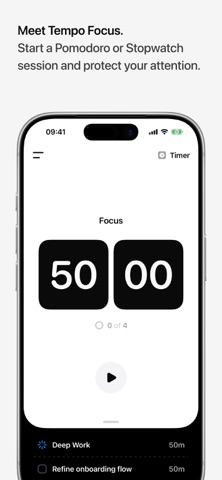
Tempo Focus is a Pomodoro timer, focus timer, task tracking system, and personal time tracker for protecting your attention and understanding where your time goes. Plan the work that matters, start a focus session, put distracting apps out of reach, and keep a clear record of the time you spend on tasks, study, work, or personal projects. Tempo is designed to feel calm in daily use: simple when you need to begin, detailed when you want to review or adjust your time. Use Tempo to: - Run Pomodoro focus and break sessions - Plan and track tasks inside your focus flow - Start open-ended Stopwatch sessions - Block distracting apps during focus using Apple Screen Time - Choose default blocked apps or use Label Scenarios for different contexts - Organize focus time with labels - Add or edit entries when your day needs correction - Review session history, daily focus time, task time, and longer-term insights - Use Live Activities and Dynamic Island to keep the timer visible while you work Tempo is built for people who want structure without turning focus into another noisy dashboard. It helps you protect the session in front of you, then understand the shape of your time afterward. The free version gives you a strong starting point for focused time. Tempo Pro unlocks deeper control, richer insights, custom labels, and more ways to shape the app around how you work. Learn more at tempofocus.app Terms of Service: https://tempofocus.app/terms Privacy Policy: https://tempofocus.app/privacy
Latest release
What’s New
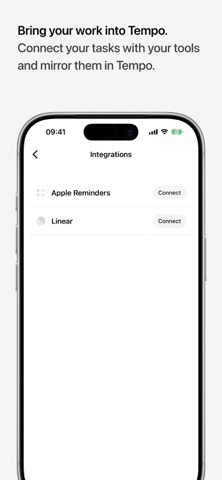
Adds optional Today planning for Linear and Apple Reminders, brings Dutch localization to Tempo, and improves translated interface text. We’ve been listening to how you use task tracking in Tempo. Many of you plan work in Linear or Apple Reminders before opening Tempo to focus on it. With 1.3.1, those plans can meet you in Today with less morning setup. Turn on Add tasks due today in either integration’s settings. Whenever Tempo syncs, eligible tasks due that day are added to your Today list automatically. Nothing changes in Linear or Apple Reminders, and Tempo respects where you choose to place each task. When you open Tempo in the morning, the work you already planned can be waiting in Today. Tempo is also now available in Dutch. We’ve improved localization across the app and Live Activities, including Timer, Stopwatch, and upcoming-session text. Added - Optional Today planning for Linear and Apple Reminders. - Dutch language support across Tempo and Live Activities. Improved - Improved translation coverage across supported languages. - Integration refresh results now open the matching Tasks view even when everything is already up to date. Fixed - Fixed cases where localization keys could appear instead of interface text. - Fixed missing and inconsistent translations in several parts of Tempo and Live Activities.
Audience growth
Ratings growth
Baseline captured. Growth appears after the crawler observes a changed rating count.
Momentum comes from crawler snapshots for the tracked storefront. “Viral growth signal” means unusually fast recent rating gains; it is an indicator, not download data.
Price tracking
Price intelligence
First snapshot captured. The trend line starts after the next crawler price observation.
- First observed Sep 4, 2026 · 7:44 AM Free
Screenshots