About this app
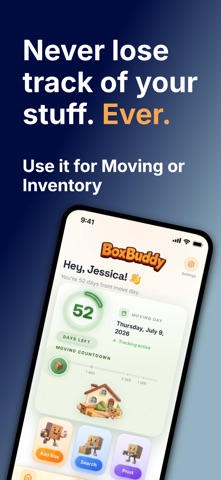
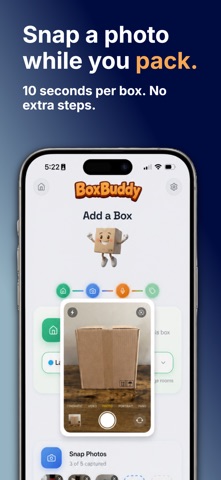
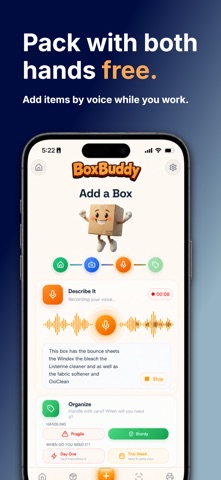
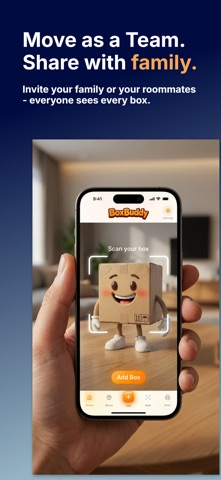
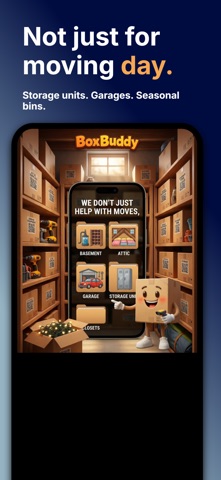
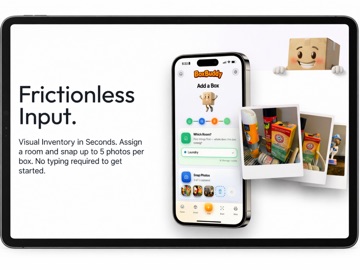
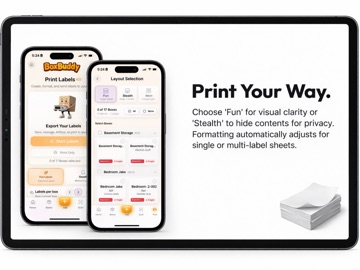
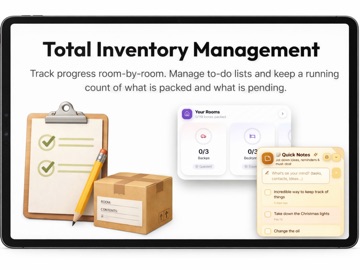
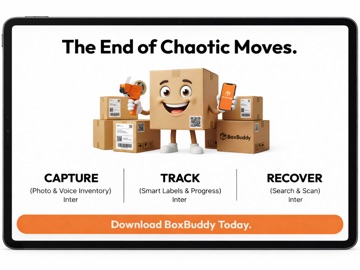
Moving doesn't have to mean losing track of your stuff. BoxBuddy turns chaotic moving boxes into a searchable, shareable inventory — so you always know what's where, even before you've unpacked. SNAP A PHOTO, BOXBUDDY DOES THE REST Photograph the contents of each box as you pack. BoxBuddy catalogs everything automatically, building a visual inventory you can search later — no manual lists, no guessing what's inside box #14. TALK WHILE YOU PACK — BOXBUDDY DOES THE FILING This is the part people don't expect. Say what's going into the box while your hands are busy with tape and bubble wrap, and BoxBuddy doesn't just transcribe you — it reads what you said against a dictionary of hundreds of household items and pulls out the things that matter. The cast iron pan. The winter coats. The good glasses. Those become searchable keywords attached to that box, and they print right on its label. So the box that took you eight seconds to describe out loud is findable months later by typing "cast iron" — and readable from the outside without opening it. No typing, no stopping, no checklist. You talk, the inventory builds itself. PRINT QR LABELS, FIND ANYTHING INSTANTLY Every box gets a unique QR code label. Scan it with your phone to see exactly what's inside — without opening a single flap. Print labels right from the app, or from your computer at boxbuddy.tech. No special printer or extra hardware required — and printing is included on every plan, free ones too. SEARCH YOUR ENTIRE MOVE BY KEYWORD Looking for the coffee maker? Type it in and BoxBuddy tells you exactly which box — and which room — it's in. No more opening ten boxes to find one item. SHARE YOUR MOVE WITH FAMILY Moving is a team sport. Invite your partner, roommates, or family to your BoxBuddy inventory — up to five people on one move, all seeing the same boxes, labels, and locations in real time. One person packs the kitchen, another handles the garage, and nobody loses track of anything. NOT JUST FOR MOVING DAY Keep using BoxBuddy long after you unpack — basements, garages, storage units, seasonal bins, closets. Downsizing, renovating, or just tired of not knowing what's in the bins? It keeps your household organized all year round. BUILT FOR EVERY KIND OF MOVE • Young professionals moving into their first apartment • Growing families relocating for more space • Empty nesters downsizing after the kids move out • Anyone facing a divorce, renovation, or major life change WHY PEOPLE LOVE BOXBUDDY • No more "where did we put the can opener?" • No more handwritten labels that smudge, fall off, or get packed face-down • A searchable photo inventory of everything you own — good for insurance and home records long after the boxes are gone • A printable packing checklist that keeps your move organized room by room HOW IT WORKS 1. Snap a photo of each box's contents — or just say what's going in 2. Print or scan the QR label BoxBuddy generates for that box 3. Search by keyword, room, or scan any label to find anything instantly — and invite family to see it all too START FREE WITH YOUR FIRST 10 BOXES No cost, no credit card. Upgrade any time for more boxes, more photos, and Family Sharing. PRICING • Free — up to 10 boxes, 2 photos per box, printing included • Single — $19.99/year — up to 1,000 boxes, 5 photos per box • Family — $29.99/year — everything in Single, plus a shared inventory for up to 5 people Single and Family are annual subscriptions. Most people only need one year — pack, move, unpack — and you can cancel any time. BoxBuddy: Snap. Label. Move. Have feedback or a feature request? We're a small, hands-on team building this for real movers — reach out any time through the app or at boxbuddy.tech. Download BoxBuddy today and make your next move the easiest one yet. Terms of Use (EULA) https://www.apple.com/legal/internet-services/itunes/dev/stdeula/ Privacy Policy https://boxbuddy.tech/privacy Terms and Conditions https://boxbuddy.tech/terms
Latest release
What’s New
The important one first: if you added a box and later found it gone, that was us. It's fixed. YOUR BOXES STAY PUT Add a box — photo, contents and all — then leave the screen without tapping Done, and the box could be deleted a few seconds later. The footer even told you it had auto-saved, and it had. A cleanup step meant to tidy away blank, abandoned boxes was taking filled-in ones with it. It now asks whether there is anything in the box before removing it: a photo, contents or a voice note makes it yours, tapped Done or not. Genuinely empty boxes are still cleaned up, so your list stays tidy. "SAVING" NOW MEANS SAVING The footer said "Auto-saved. You can safely leave this screen" from the moment you stopped typing — while the save was still in flight. It now reads "Saving draft..." until the save has actually landed, then switches. A small change to what it says, a large change to whether you can trust it. MORE THAN ONE MOVE BoxBuddy has always handled several moves at once — the house and the storage unit, this year's move and last year's — but there was no way to create a second one unless you had none at all. Settings > Manage Move now has a New Move button. Name it and you land straight in it; your existing boxes stay exactly where they are, and you can switch back any time. In inventory mode it reads New Inventory. LONG ROOM NAMES NO LONGER OVERLAP Thank you to everyone who wrote in about overlapping labels on the 10-per-page sheets. The sheet was measured correctly; the room name was the problem. Something like "KITCHEN - Entertaining / Serving" ran past the bottom of its own label, printed through the box number, and landed on the label below. Long names now shrink to fit, wrap at most twice, and end in an ellipsis rather than running off the edge. Short names print exactly as before, at full size. Same fix on the 12-per-page squares, which had it worse. FIVE LABELS PER BOX Labels per box now goes to five — four sides plus the top, which is what most people are doing anyway. PHOTOS IN THE EDIT SCREEN Add a photo to an existing box and keep typing while it uploads, and the next auto-save could remove the photo that had just arrived. Fixed. Every change here came from someone telling us something was wrong. Two of them from a single report detailed enough that we could find the exact minute in the server logs. Please keep them coming — through the app, or boxbuddy.tech.
Audience growth
Ratings growth
Baseline captured. Growth appears after the crawler observes a changed rating count.
Momentum comes from crawler snapshots for the tracked storefront. “Viral growth signal” means unusually fast recent rating gains; it is an indicator, not download data.
Price tracking
Price intelligence
First snapshot captured. The trend line starts after the next crawler price observation.
- First observed Sep 4, 2026 · 5:57 AM Free
Screenshots