About this app
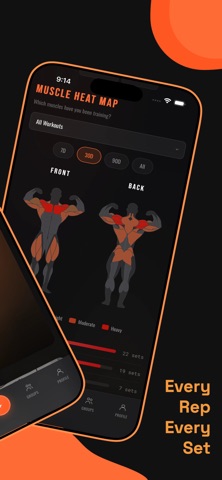
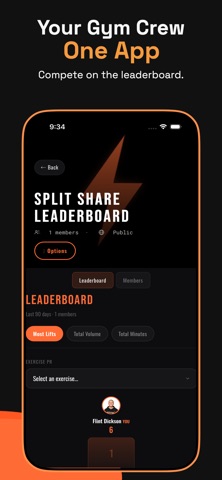
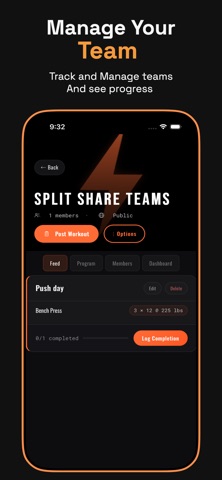
SplitShare is the social fitness app that makes tracking your workouts simple and shareable. LOG YOUR WORKOUTS Track every exercise, set, rep, and weight. See your progress over time with detailed lift history and personal records. WORKOUT GENERATOR Take a photo of your available equipment and let the app create a personalized workout based on your strength history, workout type, and target duration. TRY OTHER PEOPLE'S WORKOUTS Browse workouts posted by the community and follow along step-by-step with a built-in guided walkthrough. SOCIAL FITNESS FEED Share your sessions, like and comment on friends' workouts, and follow people who push you to be better. FEATURES Log exercises with sets, reps, and weight Workout generation with equipment photo recognition Step-by-step workout walkthrough mode Social feed with likes, comments, and follows Push notifications for likes, comments, and new followers Exercise history and personal record tracking Group workout support Download SplitShare and start sharing your gains today.
Latest release
What’s New
Recovery Tracking Improvements The recovery section has been fully redesigned. You can now view your full log history with a tap, add recovery check-ins for any past date with the new "Log Another Day" button, and edit previous entries without errors. The muscle readiness grid has more breathing room, and the overall layout is cleaner and easier to read. Trainer Tools Trainers can now view a client's full exercise progress charts directly from the client detail screen — the same line charts and personal record stats available in the Progress tab, but for any athlete on your roster. You can also tap into individual workouts and recovery logs to see the complete details. The workout assignment sheet now supports adding YouTube links or uploading form videos for each exercise so clients know exactly what to do. Metrics The metric detail sheet now scrolls fully to the Save button, and the Log Metric screen lets you select which metric you're logging before submitting. Bug Fixes & Polish Fixed the progress tab showing through behind the recovery modal Fixed the groups tab bar to display evenly across all screen sizes Rating sliders now default to "None" and display a dash when unset All sheets have proper bottom spacing so no buttons are hidden behind the home indicator Assign Workout title field updated to match the app's design style
Audience growth
Ratings growth
Baseline captured. Growth appears after the crawler observes a changed rating count.
Momentum comes from crawler snapshots for the tracked storefront. “Viral growth signal” means unusually fast recent rating gains; it is an indicator, not download data.
Price tracking
Price intelligence
First snapshot captured. The trend line starts after the next crawler price observation.
- First observed Sep 5, 2026 · 11:39 PM Free
Screenshots