About this app
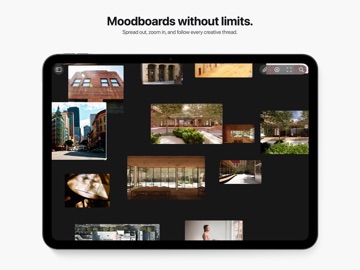
Reference Board is a private, visual workspace for collecting inspiration, developing ideas, and keeping creative research close at hand on Mac, iPhone, and iPad. BUILD VISUAL BOARDS • Collect images, videos, links, text, colors, and PDFs in one place. • Arrange references freely on an infinite canvas or switch to an organized grid. • Move, resize, group, stack, crop, flip, and annotate without changing your original media. • Use the loupe to inspect fine details in images and videos. FIND WHAT YOU NEED • Search across boards and references. • Use on-device analysis, OCR, colors, metadata, and visual similarity to rediscover material quickly. • Keep notes and details attached to the work they describe. SYNC AND COLLABORATE • Keep your library in sync across Mac, iPhone, and iPad with iCloud. • Invite others to collaborate on shared boards. • Publish a separate public, view-only webpage when you want to present or share your work more widely. • Update or unpublish a published board whenever you like. WORK YOUR WAY • Import from Photos, Files, Safari, drag and drop, or the Share Sheet. • Export boards as images, PDFs, or Reference Board archives. • Use widgets, Shortcuts, the screen saver, and optional MCP automation to connect Reference Board to your workflow. REFERENCE FREE Create one private board and collect up to 20 items for free. There is no trial or time limit. Existing boards and items remain available if you reach a Free limit—they are never deleted. REFERENCE PRO Unlock unlimited private boards and items, Publish to Web, AI metadata and visual discovery, new collaborations, PDF export, and MCP automation with a one-time USD 19.99 purchase. There is no subscription, and Family Sharing is supported.
Latest release
What’s New
Bug fixes and improved onboarding
Audience growth
Ratings growth
Baseline captured. Growth appears after the crawler observes a changed rating count.
Momentum comes from crawler snapshots for the tracked storefront. “Viral growth signal” means unusually fast recent rating gains; it is an indicator, not download data.
Price tracking
Price intelligence
First snapshot captured. The trend line starts after the next crawler price observation.
- First observed Sep 6, 2026 · 8:14 PM Free
Screenshots