About this app
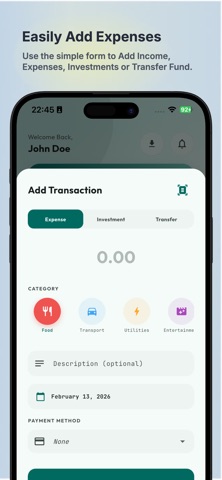
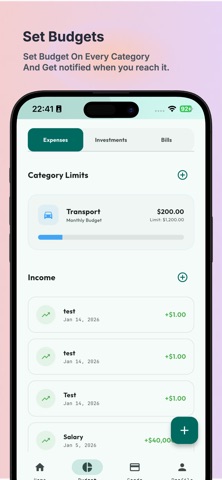
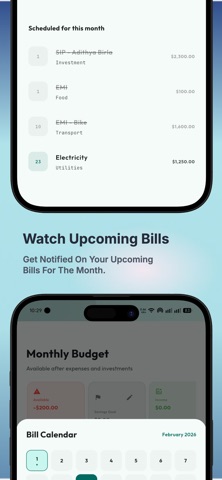
Kosh: Expense Tracker, Budget Planner & Split Bills Made Simple Take control of your money with Kosh, the simple yet powerful expense tracker and budget planner designed to help you manage daily spending, track income, and stay on top of your finances. Whether you’re managing personal expenses or splitting bills with friends, Kosh makes money management easy, clear, and stress-free. Why Choose Kosh? Many people struggle to understand where their money goes. Kosh helps you track expenses, control spending, and build better financial habits with a clean, intuitive interface. Perfect for students, professionals, families, and anyone who wants a simple personal finance app. Key Features Track Expenses & Income Easily Log transactions in seconds and see exactly where your money goes. Budget Planner & Spending Limits Set budgets, monitor categories, and avoid overspending. Split Bills with Friends Quickly split a single bill for dinners, trips, or shared purchases. Expense Pools for Shared Spending Add multiple expenses to a shared pool and split them later — perfect for roommates, group trips, or monthly shared costs. Visual Spending Insights Understand your finances with clear charts and spending trends. Export Financial Reports Generate and export PDF reports for planning, records, or taxes. Multi-Currency Support Track expenses in INR, USD, EUR, and many other currencies. Private & Secure Protect your financial data with Face ID, Touch ID, or PIN lock. Build Better Money Habits Kosh isn’t just another expense manager. It’s designed to help you develop smart financial habits, understand your spending, and make better decisions with your money. Stay organized, track every expense, and manage your budget with confidence. Start Managing Your Money Today Download Kosh and experience a smarter way to track expenses, manage budgets, split bills, and handle shared expenses. Simple. Secure. Built for real life. Terms of Use (EULA): https://www.apple.com/legal/internet-services/itunes/dev/stdeula/
Latest release
What’s New
Integrated Apple Sign In. Export analytics to Excel or PDF, with a detailed report and charts as you see on the Analytics Page.
Audience growth
Ratings growth
Baseline captured. Growth appears after the crawler observes a changed rating count.
Momentum comes from crawler snapshots for the tracked storefront. “Viral growth signal” means unusually fast recent rating gains; it is an indicator, not download data.
Price tracking
Price intelligence
First snapshot captured. The trend line starts after the next crawler price observation.
- First observed Sep 4, 2026 · 5:57 AM Free
Screenshots