About this app
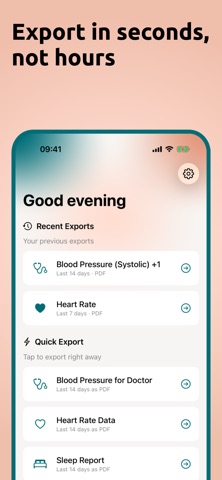
Your health data in your control. Export and share your Apple Health information in seconds. vitalina makes it easy to export your health data from Apple Health and share it with your doctor, keep personal records, or use it however you need. Whether you're managing a chronic condition, preparing for a medical appointment, or simply want a backup of your health information - vitalina has you covered. EXPORT WHAT MATTERS TO YOU • Heart rate & blood pressure • Blood oxygen & respiratory rate • Steps, distance & flights climbed • Active & resting energy • Sleep analysis with complete stage breakdown • Workouts with detailed metrics • Weight & body measurements • And more... MULTIPLE FORMATS • PDF - Perfect for sharing with healthcare providers • CSV - Open in Excel, Google Sheets, or Numbers • JSON - For developers and custom analysis FLEXIBLE TIME RANGES Export data from the last 7 days, 30 days, 90 days, or select a custom date range. Get exactly the data you need, nothing more. PRIVACY FIRST Your health data never leaves your device. vitalina processes everything locally. No accounts, no cloud uploads, no data collection. What happens on your iPhone stays on your iPhone. vitalina is a data export tool only. It does not provide medical advice, diagnosis, or treatment recommendations. Always consult with a qualified healthcare provider for medical guidance. Payment charged to iTunes account at confirmation of purchase. Terms: https://vitalina.app/terms Privacy: https://vitalina.app/privacy Questions: info@vitalina.app
Latest release
What’s New
• Name your report Give each export its own title, like ""Cardiology checkup"". It appears on your PDF and stays with the export under Recent Exports. • CSV as a zip file When a CSV export has more than one table, it now arrives as a single zip file: each table is its own .csv, and metadata.json lists what's inside. • Fixed step counts Your step totals now export accurately. As always, your health data stays on your device. Thanks for using vitalina!
Audience growth
Ratings growth
Baseline captured. Growth appears after the crawler observes a changed rating count.
Momentum comes from crawler snapshots for the tracked storefront. “Viral growth signal” means unusually fast recent rating gains; it is an indicator, not download data.
Price tracking
Price intelligence
First snapshot captured. The trend line starts after the next crawler price observation.
- First observed Aug 26, 2026 · 5:44 PM Free
Screenshots