About this app
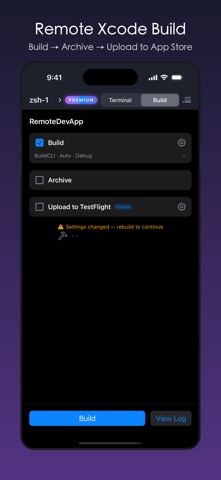
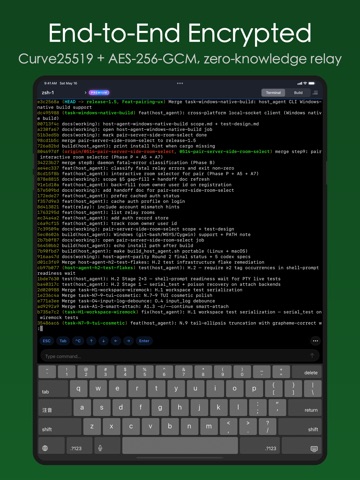
TermOnMac puts your Mac terminal on your iPhone and iPad — through a built-in relay server, zero setup, end-to-end encrypted. FREE TO GET STARTED The free plan lets you connect up to 4 Macs with 4 sessions — perfect for checking builds, running quick commands, and trying out the full experience. VIBE CODING FROM ANYWHERE — JUST $0.99/MO Run Claude Code, Codex, or Cursor sessions for hours from your iPhone or iPad. Pro at $0.99/month gives you the headroom for real AI coding workflows. Heavy users: Premium at $2.99/month is still cheaper than a coffee. SIMPLE, TRANSPARENT PRICING Usage is measured by relay traffic — data sent through the relay including commands, output, heartbeats, and system requests. No hidden fees. You only pay for what you use. RELAY SERVER — WORKS BEHIND ANY FIREWALL No SSH keys. No Tailscale. No port forwarding. No public IP needed. Install the Mac agent, scan a QR code on your iPhone or iPad, and you're connected — even behind corporate firewalls, NATs, or VPNs. BUILT FOR AI CODING AGENTS TermOnMac is a relay terminal — bring your own AI. Run Claude Code, Codex, Gemini CLI, Cursor, or any terminal-based tool on your Mac, then control it remotely from your iPhone or iPad. No vendor lock-in, no extra cost — just your tools, from anywhere. NEVER LOSE YOUR SESSION Network switches, device sleep, subway tunnels — your session stays alive. Auto-reconnect picks up right where you left off. Input is buffered while disconnected. SESSION HANDOFF — IPHONE ↔ IPAD ↔ MAC Start a terminal session on your iPhone, continue on your iPad, and pick it up on your Mac — or any direction. Same session, zero interruption. Like Apple Handoff, but for your terminal. TOUCH KEYBOARD — BUILT FOR TERMINAL A custom toolbar above the on-screen keyboard gives you Ctrl, Esc, Tab, arrow keys, and modifier toggles — the keys iOS doesn't have. Search your shortcuts by name and trigger them with a tap. HARDWARE KEYBOARD — FULL CONTROL Connect a Magic Keyboard or any Bluetooth keyboard to your iPad. 12 dedicated shortcuts (⌘⌥ prefix): toggle sidebar, switch sessions, run builds, and more. Full terminal control without touching the screen. CUSTOM SHORTCUTS Create reusable commands as one-tap shortcuts. Build your own mobile developer toolbar. Export as JSON for backup or sharing with teammates. END-TO-END ENCRYPTED Curve25519 key exchange, AES-256-GCM encryption, ephemeral keys for forward secrecy. The relay only forwards ciphertext — it cannot read your terminal content. PLANS • Free — 4 Macs, generous daily usage • Pro ($0.99/mo) — 32 Macs, higher usage limits • Premium ($2.99/mo) — 32 Macs, maximum usage limits Payment is charged to your Apple ID. Subscriptions auto-renew unless canceled 24 hours before the current period ends. REQUIREMENTS • iOS/iPadOS 17.0 or later • TermOnMac Agent on Mac (macOS 13+) LEARN MORE • Documentation: https://termonmac.com/docs • How It Works: https://termonmac.com/how-it-works • Engineering Blog: https://termonmac.com/blog Privacy: https://termonmac.com/privacy Terms: https://termonmac.com/terms
Latest release
What’s New
fix bug when opening then closing QuickBar [...] panel left terminal unresponsive to taps and scrolling.
Audience growth
Ratings growth
Baseline captured. Growth appears after the crawler observes a changed rating count.
Momentum comes from crawler snapshots for the tracked storefront. “Viral growth signal” means unusually fast recent rating gains; it is an indicator, not download data.
Price tracking
Price intelligence
First snapshot captured. The trend line starts after the next crawler price observation.
- First observed Aug 13, 2026 · 2:02 AM Free
Screenshots