About this app
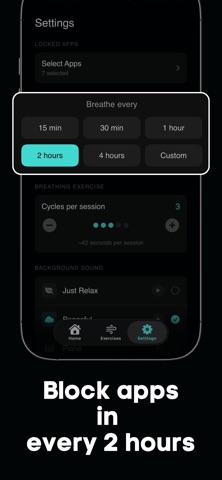
BeCAL helps you break free from mindless scrolling by locking your most distracting apps. The only way to unlock them? A simple breathing exercise. Every time your locked apps are due, BeCAL guides you through a short breathing session. No willpower needed. Just breathe, and your apps unlock automatically. HOW IT WORKS Choose the apps that distract you the most. Set how often you want to take a breathing break. When the time comes, BeCAL locks your selected apps and walks you through a guided breathing exercise. Once you finish, your apps are unlocked until the next session. GUIDED BREATHING EXERCISES BeCAL includes five different breathing techniques designed to calm your mind and reduce stress: - Calm Breathing: Slows your heart rate and eases tension. - Box Breathing: Used by Navy SEALs to stay focused under pressure. - 4-7-8 Relaxing: Deep relaxation, perfect before sleep. - Deep Breathing: Quickly restores your inner balance. - Energizing Breath: Boosts alertness and energy when you need it. Each exercise comes with beautiful animations and ambient background sounds to help you fully immerse in the moment. FLEXIBLE SCHEDULING Set your lock intervals anywhere from 15 minutes to 4 hours, or create a custom schedule that fits your routine. Choose how many breathing cycles per session. BeCAL adapts to your lifestyle, not the other way around. PRIVACY FIRST BeCAL uses Apple Screen Time to manage your apps. Your data never leaves your device. No accounts, no tracking, no cloud storage. Everything stays private. WHAT YOU GET - Lock any app or app category on your device - 5 scientifically-backed breathing exercises - Customizable lock intervals and session lengths - Beautiful breathing animations with calming background sounds - Works entirely on-device with full privacy Stop scrolling. Start breathing. Let BeCAL turn your screen time into calm time. Privacy Policy: https://docs.google.com/document/d/1YC2e8pHi4e-M4E3MUDB-LKrHDXfFOSwVrF5UfQzeWrU/edit?usp=sharing Terms of Use: https://docs.google.com/document/d/1VN8thwuD82U4guuMwqUMXOezMbyx3iHTcybelXC_t38/edit?usp=sharing
Audience growth
Ratings growth
Baseline captured. Growth appears after the crawler observes a changed rating count.
Momentum comes from crawler snapshots for the tracked storefront. “Viral growth signal” means unusually fast recent rating gains; it is an indicator, not download data.
Price tracking
Price intelligence
First snapshot captured. The trend line starts after the next crawler price observation.
- First observed Aug 13, 2026 · 4:45 AM Free
Screenshots