About this app
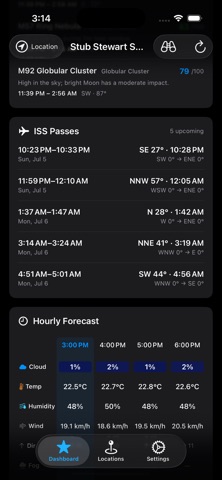
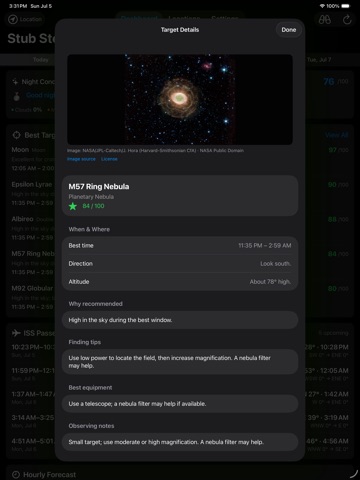
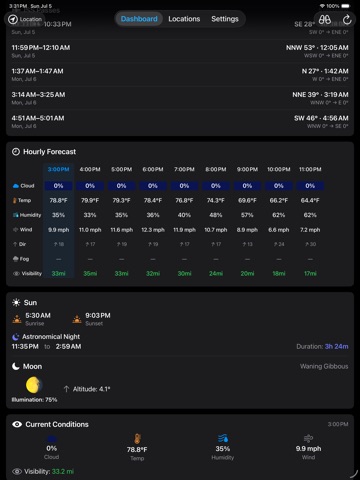
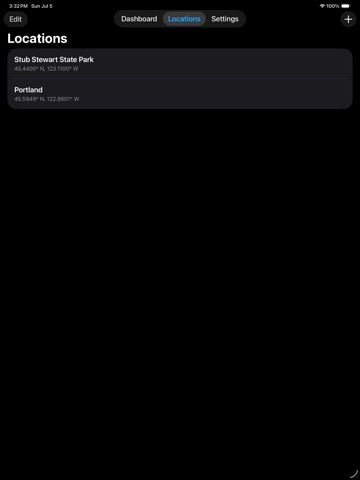
Astro Conditions — Know when, where, and what to observe. Plan better nights under the stars. Astro Conditions combines stargazing weather, darkness, Moon conditions, nearby observing locations, personalized equipment guidance, and recommended celestial targets in one private, ad-free app. See whether tonight is worth going out, find a better place to observe, and discover what will be visible from your location—from planets and double stars to clusters, nebulae, and galaxies. • Night Quality score from 0 to 100 • Best Targets personalized for your location, night, and equipment • Nearby areas with better forecast conditions • No account, subscription, or advertising BEST TARGETS Explore recommended objects from a curated catalog for your selected location and night. Add binoculars, visual telescopes, or Smart/EAA telescopes, then choose what you plan to use. Astro Conditions evaluates each target against your selected equipment and explains the best match. You can also choose Naked Eye. • See a suitability score for each target • Tailor recommendations to your selected equipment • See whether each target is preferred, practical, challenging, or unsuitable • Find the best observing time, direction, and altitude • Understand how weather, darkness, moonlight, and visibility affect the view • Get target-specific Finding Tips, Best Equipment guidance, and Observing Notes • Compare realistic visual expectations with Smart/EAA and photographic results • Browse reference images for supported targets • Choose from Easy, Standard, and Challenge observations MY EQUIPMENT • Save binoculars, visual telescopes, and Smart/EAA telescopes • Select one or more instruments for each session • Use Naked Eye for unaided observing • See the best match among your selections STARGAZING WEATHER See the hourly conditions that matter most when observing. • Cloud cover, visibility, humidity, wind, and temperature • Seeing estimates based on temperature stability and upper-atmosphere wind • Transparency estimates using cloud layers and visibility • Fog risk based on humidity, dew point, visibility, clouds, and wind • Night Quality scoring that accounts for heavy cloud cover • Compare early- and late-night trends • Three-day forecast FIELD MODE Use a dim red appearance at the telescope to help preserve night vision. SUN, MOON & DARKNESS • Sunrise and sunset • Astronomical night start, end, and duration • Moonrise and moonset • Moon phase, illumination, and altitude • Moonlight-aware target recommendations BEST SPOT SEARCH • Discover nearby locations with better forecast conditions • Compare ranked observing areas on a map • Adjust search radius and location spacing • Open a selected spot in Apple Maps LOCATION MANAGEMENT • Use your current position or save favorite observing sites • Search by city, coordinates, or map • Rename and reorder saved locations • Use each location’s local date and time OPTIONAL ISS TRACKING Add your N2YO API key to see visible International Space Station passes. • View rise, peak, and set times • See peak elevation and direction • Follow the ISS path across the sky • Identify passes already in progress WIDGETS & APPLE WATCH • Tonight at a Glance widget for quick condition checks • Tonight’s Targets widget with up to three recommendations • Three-Night Outlook widget for planning ahead • Apple Watch app with observing conditions • Watch complications for fast access • Sync locations and preferences with Apple Watch ACCESSIBLE, CUSTOMIZABLE & PRIVATE • Layouts adapt to larger iOS text sizes • Metric or imperial units • No account, subscription, or advertising • Weather data from Open-Meteo • Astronomical positions and recommendations calculated locally Whether you observe with your eyes, binoculars, a traditional telescope, a Smart/EAA telescope, or an astrophotography setup, Astro Conditions helps you decide when to go outside, where to observe, what to look for, and which equipment to use.
Latest release
What’s New
New Features • Added a Tonight’s Targets Home Screen widget with up to three recommended objects for your selected location • Added a Three-Night Outlook Home Screen widget to compare tonight, tomorrow, and the day after Improvements • Updated Tonight at a Glance with clearer conditions, trends, and observing-window details that adapt to available space and larger text • Improved support for larger standard iOS text sizes throughout Astro Conditions • Improved readability of direction and altitude in Best Targets • Improved My Equipment with better defaults, type-specific examples, and clearer aperture guidance Bug Fixes • Fixed the Dashboard’s “Last updated” time so it refreshes correctly when returning to the app
Audience growth
Ratings growth
Baseline captured. Growth appears after the crawler observes a changed rating count.
Momentum comes from crawler snapshots for the tracked storefront. “Viral growth signal” means unusually fast recent rating gains; it is an indicator, not download data.
Price tracking
Price intelligence
First snapshot captured. The trend line starts after the next crawler price observation.
- First observed Aug 10, 2026 · 6:16 PM Free
Screenshots