About this app
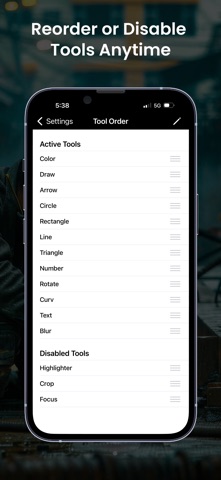
PixMarker: Draw & Highlight is an easy-to-use image markup and annotation tool for photos, pictures, screenshots, and webpage captures. Highlight important areas, draw shapes, add text, and create clear visual notes in seconds. Whether you are working, studying, creating tutorials, or sharing ideas, PixMarker helps you turn any image, pic, photo, or browser page capture into clean and professional markups. Features • Draw and annotate with arrows, lines, circles, rectangles, and freehand tools • Add text with font, color, size, shadow, and stroke options • Highlight key areas with magnifier effects • Blur or pixelate sensitive information • Add numbers for better explanations • Crop and rotate photos and pictures with easy controls • Edit screenshots instantly with built-in markup tools • Capture webpage or browser page screenshots and mark them up easily • Mark up web snaps for tutorials, feedback, and visual notes Perfect for • Work feedback and presentations • Study notes and tutorials • Website, webpage, and map markup • Social media content creation • Creative projects and visual planning Why PixMarker • Fast and simple image annotation workflow • Clear tools for highlighting and explaining ideas • Great for professional and personal use • All-in-one markup experience in one app You can share your feedback by email, and for more details, visit our website. • Website: https://pixmarker.tasakiapps.com • Support Email: info@tasakiapps.com Privacy Policy https://pixmarker.tasakiapps.com/privacy-policy.html Apple EULA https://www.apple.com/legal/internet-services/itunes/dev/stdeula/ Download PixMarker: Draw & Highlight today and start creating clear, informative, and polished markups for your images, photos, pictures, and screenshots.
Latest release
What’s New
We’re constantly working to improve PixMarker and make your markup experience faster, smoother, and more reliable. This update includes performance enhancements, usability improvements, and important bug fixes. • Improved app performance for faster and smoother markup editing • Fixed minor bugs and stability issues • Enhanced screenshot annotation experience • Better tool responsiveness and overall usability • General improvements for a more reliable PixMarker experience
Audience growth
Ratings growth
Baseline captured. Growth appears after the crawler observes a changed rating count.
Momentum comes from crawler snapshots for the tracked storefront. “Viral growth signal” means unusually fast recent rating gains; it is an indicator, not download data.
Price tracking
Price intelligence
First snapshot captured. The trend line starts after the next crawler price observation.
- First observed Sep 25, 2026 · 10:07 AM Free
Screenshots